
7 Must Know SEO Structure Secrets That Make Google Love Your Site
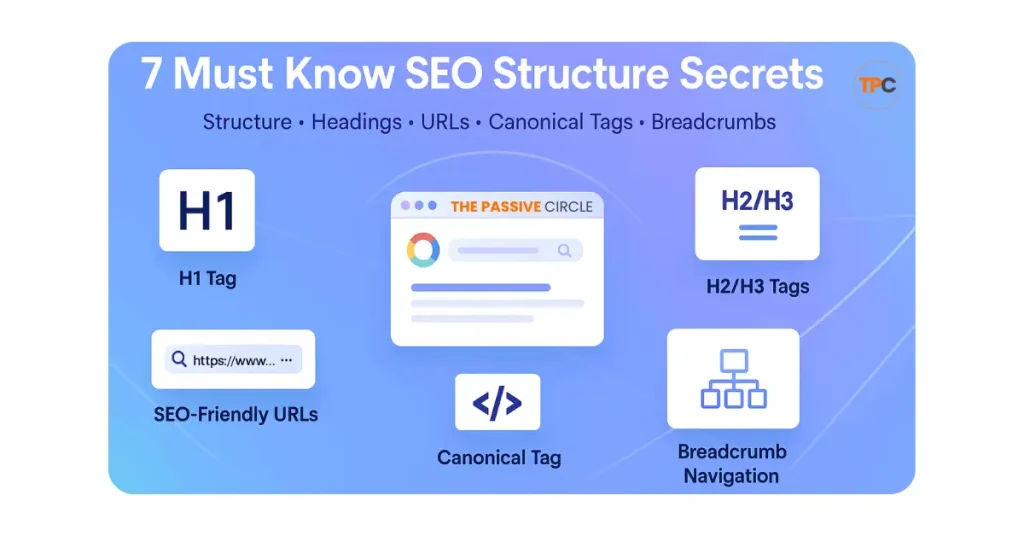
SEO Structure And Headings Navigation
H1 Tag | H2/H3 Tags | Heading Structure | URL Structure | SEO Friendly URLs | Canonical Tag | Breadcrumb Navigation
Creating an SEO-friendly website involves more than just keywords. With the right structure and headings, you can make your website easier to navigate and boost your search engine rankings. In this guide, we’ll walk you through:
- The importance of using H1 to H3 tags
- How clean URLs help both readers and Google
- Using canonical tags to avoid duplicate content
- Adding breadcrumb navigation to improve user experience
By following these tips, you can create a well-organized, SEO-optimized site that both visitors and search engines will appreciate.
Table of Contents

H1 Tag
1. H1 Tag: Your Main Heading
The H1 tag is the most important heading on your webpage. It’s like the title of a book that tells both Google and your visitors what your page is all about. Here’s why the H1 tag matters:
- For Google: The H1 helps search engines understand the main topic of the page.
- For Visitors: It tells them immediately what the page will cover, making it easier to decide if they want to stay.
Your H1 tag should:
- Be clear and concise.
- Include your main keyword, but make sure it reads naturally.
- Only appear once on the page to avoid confusion.
Example:
H1: “Affiliate Marketing for Beginners: A Simple Guide”
This H1 clearly tells visitors that the page is a guide for beginners on affiliate marketing. It also includes the main keyword “affiliate marketing for beginners” for SEO.
To optimize your H1 tag:
- Use only one per page.
- Include your primary keyword naturally.
- Keep it simple—don’t make it too long.
- Make sure your H1 matches the content of your page and sets the right expectations.
Learn more about H1 optimization

H2 and H3 Tags
2. H2 & H3 Tags: Organize Your Content
H2 and H3 tags break your content into sections and sub-sections. They help both users and Google easily understand your content. Here’s how they work:
- H2 Tags: Use them for the main sections of your page. For example, in a guide, each major step or section gets an H2.
- H3 Tags: These are for details under each H2. They break down your main sections into smaller, more digestible pieces.
Think of it like a book:
- Title of the book: H1 tag.
- Chapter titles: H2 tags.
- Sub-sections within each chapter: H3 tags.
Example:
H2: “Benefits of Affiliate Marketing”
H3: “How to Get Started”
H3: “Key Strategies for Success”
This way, readers can easily navigate your content, and Google can better understand the structure of your page.
Explore how to use H2 and H3 tags

Heading Structure
3. Heading Structure: Clear Flow for Better SEO
A good heading structure helps organize your content logically. It makes it easy for both visitors and search engines to understand the flow of the page.
Here’s how you should structure your headings:
- Start with an H1 tag that introduces the main topic.
- Use H2 tags for the primary sections of your page.
- Break down H2 sections with H3 tags for details.
A well-organized heading structure helps improve SEO by making it easier for Google to understand the main topics of your page and how they relate to each other.
Example Layout:
H1: “Affiliate Marketing for Beginners”
H2: “What You Need to Start”
H3: “Choosing a Niche”
H3: “Picking a Domain and Hosting”
H2: “Common Mistakes to Avoid”
H3: “Overlooking SEO”
H3: “Choosing the Wrong Products to Promote”
This structure helps guide readers through your content in a logical order, improving user experience and SEO.
Understand heading structure for better SEO

URL Structure
4. URL Structure: Keep It Simple
Your URL is the web address of your page, and it should be clear and easy to read. A good URL:
- Is short and to the point.
- Includes the main keyword.
- Doesn’t use unnecessary characters like symbols or numbers.
A messy URL with extra characters and numbers looks spammy and can confuse both visitors and Google. On the other hand, a clean URL tells Google exactly what your page is about.
Good URL Examples:
- yourdomain.com/affiliate-marketing-guide
- yourdomain.com/seo-checklist
- yourdomain.com/beginner-guide-affiliate-marketing
Bad URL Examples:
- yourdomain.com/blog/post?id=87342
- yourdomain.com/category/seo/tips/article-12345
To optimize your URL structure:
- Keep it under five words if possible.
- Use lowercase letters only.
- Use hyphens (-) between words, not underscores (_).
- Avoid including dates or random numbers in your URL.
Learn how to create SEO-friendly URLs

SEO Friendly URLs
SEO Friendly URLs
SEO friendly URLs are simple links that clearly show what a page is about. A clean URL helps both your readers and Google understand your topic without any confusion. When your link is easy to read, users feel more confident clicking on it.
A good URL is short, clear, and uses real words. It should also match the main idea of your page. Think of it like a label on a folder. When the label is simple, the content feels more trustworthy.
What Makes a URL SEO Friendly
A good URL follows a few easy rules.
It is short and simple to read.
It uses lowercase letters only.
It uses hyphens to separate words.
It includes one main keyword.
It avoids numbers and symbols that do not help.
Good Examples:
on page seo basics
affiliate marketing beginners
seo checklist beginners
Bad Examples:
index.php?id=5482
blog post ref abc123
2025 01 article 88
Good URLs look clean and clear. Bad URLs look confusing and can reduce trust.
Why It Matters
Clean URLs help your pages look more professional. They support better SEO signals and make your site easier to navigate. They also help users understand the topic before they open the page.
Use short words.
Use one keyword.
Keep it simple so beginners can understand it at a glance.
Read the full SEO Friendly URL guide

Canonical Tag
5. Canonical Tags: Prevent Duplicate Content Issues
Duplicate content can hurt your SEO. If Google sees multiple versions of the same page, it might not know which one to rank. The canonical tag helps solve this problem.
A canonical tag tells Google which version of a page is the “main” page and should be ranked. For example, if you have multiple versions of the same page (like one with a tracking code and one without), you can use a canonical tag to tell Google which one to focus on.
Example:
Main Page: yoursite.com/affiliate-marketing-guide
Duplicate: yoursite.com/affiliate-marketing-guide?utm_source=email
With a canonical tag, all ranking power goes to the main URL, avoiding confusion for Google and ensuring your page ranks properly.
Learn how to use canonical tags effectively

Breadcrumb Navigation
6. Breadcrumb Navigation: Enhancing User Experience and SEO
Breadcrumbs are small navigation links that show users where they are on your site. They help visitors easily find their way around, especially on large sites. Here’s how breadcrumbs work:
- They show your site’s hierarchy, so users can easily go back to a higher category.
- They also help Google understand your site’s structure, which can improve your SEO.
Example Path:
Home > Blog > SEO > On-Page SEO
Breadcrumbs are especially useful for larger sites with many pages. They make navigation easier and encourage users to explore more content, which increases time on site and improves SEO.
See how breadcrumbs improve user experience
By following these simple tips, you can create an SEO-friendly structure that helps both search engines and visitors navigate your site more easily. Implementing clear headings, clean URLs, and canonical tags can significantly improve your website’s SEO and user experience.
For more details on each section, click the links above to explore deeper.