
SEO Basics for Beginners: Your Quick Learning Guide to 6 Core SEO Concepts
Below are the six core SEO concepts every beginner should understand. Each section gives you a clear idea of what the topic means, why it matters, and what you’ll learn in the full post.

Table of Contents
1. User Experience SEO (UX)
User Experience SEO is about how comfortable and confident visitors feel when using your website. If your pages load fast, look clean, and are simple to read, people stay longer. This sends strong signals to Google that your content is helpful.
When UX is weak, users leave early. They don’t scroll. They don’t click. And Google sees this behavior as a sign that your page may not be the best answer.
A few simple changes can improve UX fast. This includes better spacing, readable text, clear headings, and a clean layout. Good UX also helps your affiliate links perform better because users trust your site more.

In the complete guide, you’ll learn:
- How UX directly affects SEO
- What makes visitors stay longer
- Simple design changes that improve engagement
- Tools beginners can use to check UX
- Before-and-after examples to guide you
2. Mobile Optimization
Most beginners browse websites using their phones. That means Google judges your content based on your mobile version first. A site that looks great on desktop but messy on mobile can lose rankings fast.
Mobile optimization makes your site easy to use on small screens. This includes larger font sizes, proper spacing, fast loading, clean navigation, and simple layouts. Minor improvements can have a significant impact on user behavior and SEO performance.
If your text is tiny, your menu is confusing, or your images are too large, mobile users leave quickly, reducing engagement and hurting your rankings.
In the complete guide, you’ll learn:
- How mobile-first indexing works
- What a mobile-friendly site looks like
- Simple fixes to improve mobile layout
- How to check your site using free tools
- Common mistakes beginners make
👉 Read the complete Mobile Optimization guide
3. Page Speed
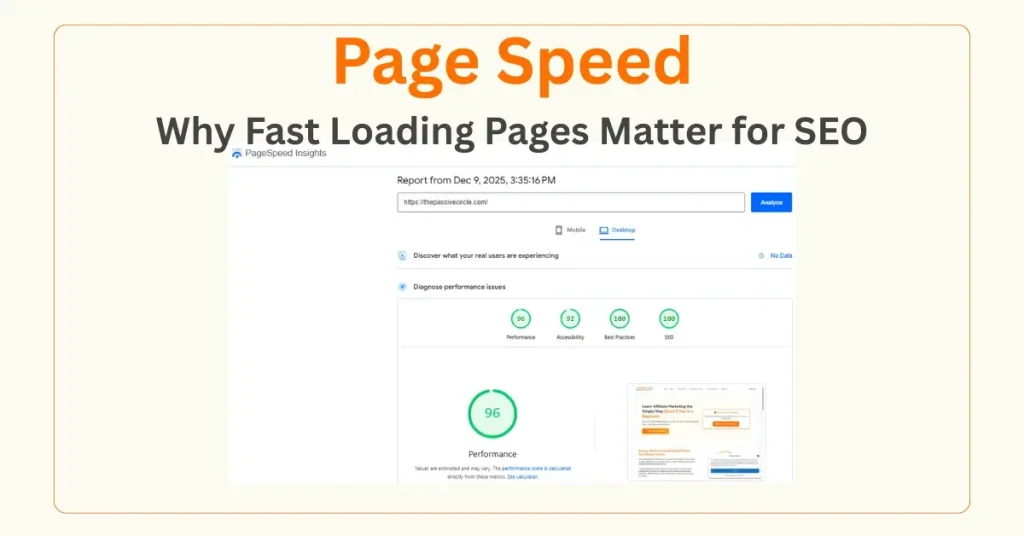
Page speed is how fast your site loads after someone clicks your link. Slow pages push users away. Fast pages keep them reading. Google rewards pages that load quickly because fast sites provide a better user experience.
Beginners often make their sites heavy without realizing it. Large images, too many plugins, slow hosting, and busy layouts all harm speed. The good news is that you can fix most speed issues in minutes with the right tools and settings.
Speed is one of the easiest SEO improvements you can make as a beginner, and it can produce quick ranking wins.
In the complete guide, you’ll learn:
- Why speed is a strong ranking signal
- What slows down your website
- How to fix speed issues step-by-step
- Tools to measure and improve speed
- Hosting, theme, and plugin tips for beginners
👉 Read the complete Page Speed guide
4. Engagement Metrics
Engagement metrics show how people interact with your site. They reveal how long users stay, how far they scroll, and how many pages they click.
When engagement is high, Google sees your content as helpful. When engagement is low, Google may show your content to fewer people.
Beginners often overlook engagement because they focus only on keywords. But engagement tells you what users actually enjoy. It also helps you improve your writing, layout, and content flow so visitors stay longer.
Small changes, such as shorter paragraphs, clear headings, visuals, and internal links, can quickly boost engagement.
In the complete guide, you’ll learn:
- What each engagement metric means
- Why these metrics help your SEO
- How to increase time on page
- How to reduce bounce rate
- Tools that track engagement for beginners
👉 Read the complete Engagement Metrics guide
5. Click Through Rate (CTR)
Click Through Rate shows how many users click your page when it appears in Google search results.
You may rank well, but without a substantial CTR, you don’t get traffic.
CTR improves when your title, URL, and description match what people are looking for. This means writing clear, simple titles that speak directly to beginners and promise real value. You also need a helpful meta description that makes users feel like your page has the answer they are looking for.
Improving CTR is one of the fastest ways to increase traffic without changing your ranking position.
In the complete guide, you’ll learn:
- What makes a title clickable
- How to write strong meta descriptions
- How search intent affects CTR
- Before-and-after title examples
- Tools to track low-CTR pages
👉 Read the complete CTR guide
6. Dwell time
Dwell time is the time someone spends on your page before leaving. A longer dwell time tells Google that your content is valuable. Short dwell time suggests the opposite.
Good dwell time comes from content that feels simple, enjoyable, and relevant. When your intro hooks readers, your paragraphs are short, and your layout feels clean, people stay longer. Visuals, examples, and internal links also help.
Beginners often overlook dwell time, but it’s a powerful indicator of content quality.
In the complete guide, you’ll learn:
- What does dwell time mean in simple terms
- Why it’s essential for SEO
- How layout and readability affect dwell time
- Step-by-step tips to keep users on your page
- Tools to analyze user behavior
👉 Read the complete Dwell Time guide