This post may contain affiliate links. If you purchase through these links, I may earn a small commission at no extra cost to you. Read our full Affiliate Disclosure
When I started blogging a few months back, I made a promise: don’t spend money on blogging tools I don’t know how to use yet.
My biggest fear was paying for subscriptions each month without using them. I kept asking: Is it even worth it? Will this blogging tools really help me?
Like most beginners, I felt completely overwhelmed. There were too many blogging platforms, free blogging websites, and shiny blogging tools to choose from. Everyone seemed to recommend something different, and I had no idea where to begin.
That’s when I decided to start simple. I chose the must-have free blogging resources for beginners. These blogging tools & resources will help you write, design, do SEO, set up WordPress, and grow your blog, all without breaking the bank.
And you know what? They worked. In this guide, I’ll show you the free blogging tools I used before spending money on my blog. You can start using them too!
Table of Contents
Why Start with Free Blogging Tools?
When you’re just starting your blogging journey, it’s tempting to think you need every shiny tool on the market. SEO tools, design tools, paid plugins, the list never ends. But the truth is you don’t need 30+ blogging tools to launch your blog.
In fact, trying to use too many blogging tools at once can slow you down. You’ll spend more time learning software than writing or publishing your blog posts.
I focused on free blogging resources. They are simple, reliable, and perfect for getting started.
Here’s why free blogging tools are the smartest choice for beginners:
- Learn without risk. You don’t lose money if you make mistakes. And trust me, in the beginning, mistakes are normal.
- Experiment freely. Try different writing styles, designs, and SEO strategies. Keep going until you find what works for you.
- Grow at your own pace. Free blogging tools let you practice the basics. Once you’re consistent and see growth, you’ll know exactly which paid blogging tools are worth upgrading to.
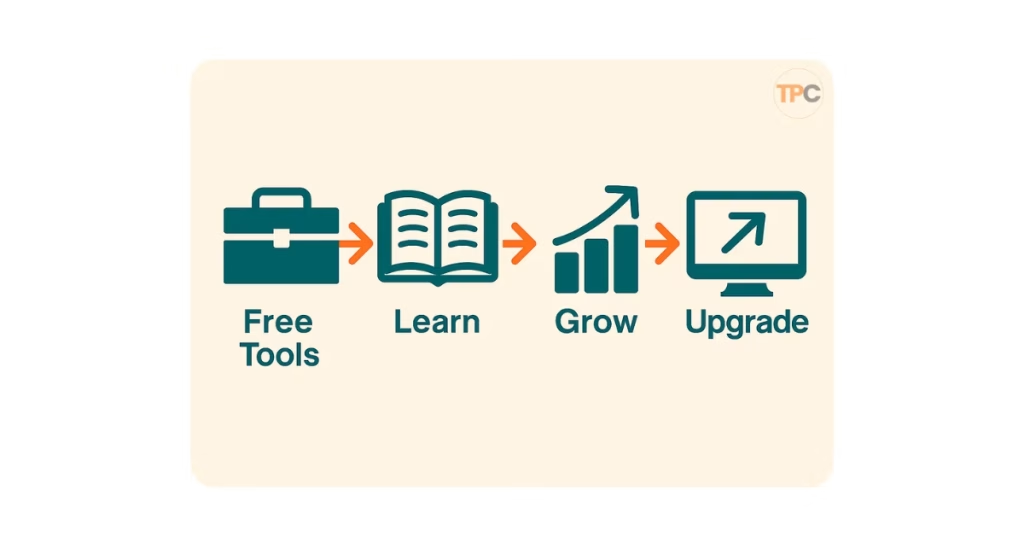
When I started, I was afraid of paying for something I didn’t know how to use. I didn’t want to waste money on subscriptions that just sat there unused. Free blogging tools gave me the confidence to start, learn step by step, and slowly grow into a real blogger.
Don’t overcomplicate your journey. Pick a handful of must-have free blogging tools for new bloggers, use them daily, and only upgrade when you’re ready.
Here Are the 15 Best Free Blogging Tools for Beginners in 2025
- Google Docs – Free drafting & cloud storage.
- Grammarly (Free) – Grammar and spelling checks.
- Hemingway Editor – Simplify complex sentences.
- ChatGPT (Free Version) – Brainstorming and content ideas.
- Canva Free – Blog graphics, Pinterest pins, banners.
- Unsplash – Free stock photos.
- Pexels – Free stock videos and photos.
- Ubersuggest (Free Plan) – Keyword ideas and SEO checks.
- Google Keyword Planner – Free keyword data (when activated).
- Blocksy Theme (Free) – Lightweight, customizable WordPress theme.
- RankMath SEO (Free) – SEO plugin for WordPress.
- Elementor Free – Page builder for WordPress.
- Google Analytics – Track blog traffic and user behavior.
- Google Search Console – Track keywords and search visibility.
- Systeme.io Free Plan – Email marketing and funnels.
The Free Blogging Tools I Used (By Category)
Writing & Content Creation
If you’re starting a blog, writing is the heart of everything. There are tons of blog writing tools available here. But the good news is you don’t need fancy, expensive writing software. Many free blog writing tools can help you write better and faster. They also boost your confidence.
These are the ones I used from day one:
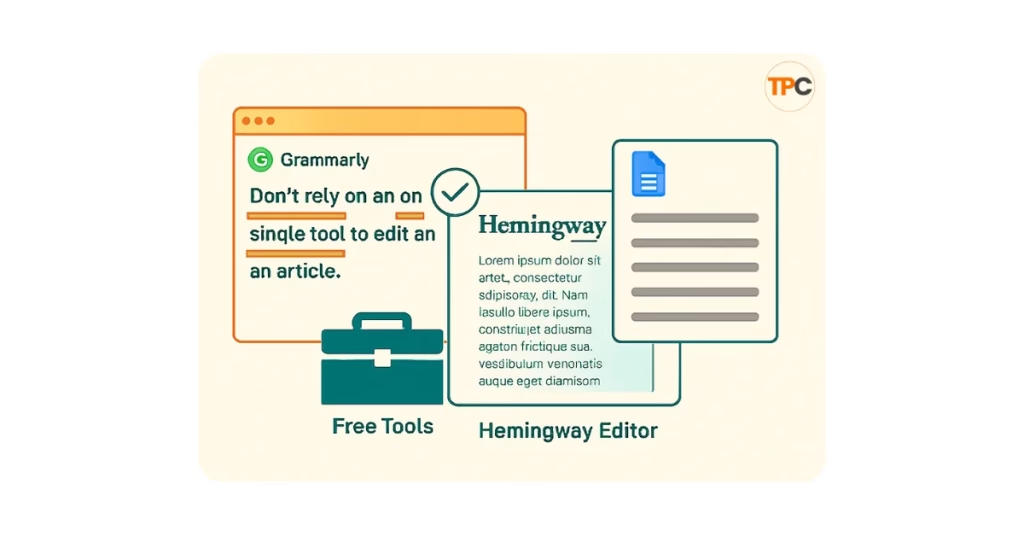
1. Google Docs: Draft Anywhere, Anytime
I started drafting in Google Docs because it’s free, simple, and works on any device. The best part? Everything saves automatically in the cloud. No fear of losing your work.
- Great for: first drafts, content outlines, and even sharing with others.
- Bonus tip: Use the “voice typing” feature if you prefer speaking instead of typing.
2. Grammarly (Free): Fix Mistakes Instantly
I write directly inside Grammarly because it shows grammar and spelling corrections live. For a non-native English speaker like me, it’s been a lifesaver. Even if you’re a native speaker, mistakes slip through. Grammarly keeps your writing clean.
Great for catching typos, grammar errors, and awkward sentences.
I once published a post, thinking it was perfect, only to realize later that it had grammatical issues. Now I never publish without Grammarly.
3. Hemingway App: Make Writing Clear
If Grammarly fixes errors, Hemingway makes your writing sharp. It highlights long, confusing sentences and suggests simpler alternatives. Blogging is about clarity, and Hemingway helps me cut the fluff.
Great for: simplifying complex sentences so beginners can understand easily.
Tip: Paste your blog into Hemingway before publishing. Aim for a Grade 6–8 reading level.
4. ChatGPT (Free Version): My Blogging Buddy
Honestly, ChatGPT has been a close companion on this journey. I brainstorm, outline, and test blog introductions here. However, I don’t copy and paste. I use it for structure and inspiration, then write in my own style.
Great for: idea generation, rephrasing sentences, or creating a draft outline.
I even used ChatGPT to create my Vision Board for blogging. It’s not just a tool; it motivates me to keep going. If you want to know more, go through my very first blog post How Affiliate Marketing Became My Path to Freedom in 2025

Takeaway: Here are key blog writing tools for beginners:
- Google Docs for drafts
- Grammarly for corrections
- Hemingway for clarity
- ChatGPT for brainstorming
Together, they’ll make your writing process smooth and stress-free.
Let’s move into the Design & Graphics Category. Many beginners, myself included, find it hard to make a blog look good. Let’s see how we can this without spending money or breaking copyright rules.
Design & Graphics
Early on, I didn’t realize visuals mattered so much. I thought blogging was all about words. But images make your blog stand out, boost engagement, and help SEO.
The problem? I didn’t know how to design, and I didn’t want to spend money on tools. So I turned to a few free image tools for bloggers that changed everything.
1. Canva (Free): Design Made Simple
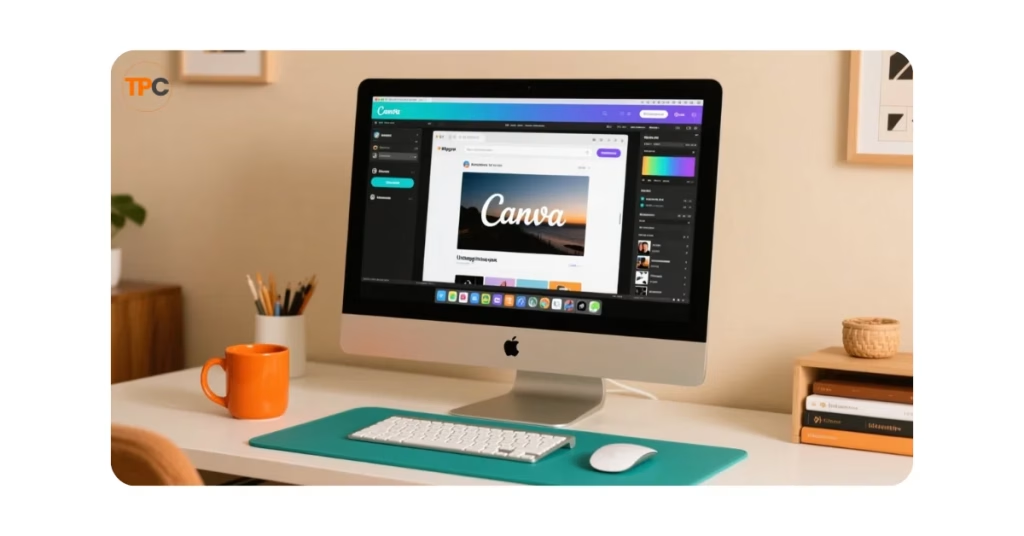
Canva became my go-to design tool once I figured it out. At first, I was totally lost; I didn’t know about brand colors, sizes, or even copyright rules. But Canva’s drag-and-drop templates made it easy to create:
- Featured images for blog posts
- Pinterest graphics
- Social media posts
Even the free version is powerful enough for beginners.
- Tip: Pick 2–3 brand colors and fonts in Canva so all your graphics feel consistent.
2. Unsplash & Pexels: Free Stock Photos That Don’t Look “Stocky”
At first, I made a big mistake. I grabbed random images from Google without checking the copyright. Not a good idea! I later found Unsplash and Pexels. They both provide free stock photos that look professional and are safe for blogs.
- Great for: background images, lifestyle shots, blog post visuals.
- My story: The first time I used a great Unsplash image in a blog post, my site looked way more professional.
3. AI Image Generators: Custom Visuals When You Need Them
Sometimes stock photos don’t match your blog topic. That’s where free AI tools for bloggers like ChatGPT (with image generation), Gemini, or Stable Diffusion come in. I use them for unique graphics, especially for affiliate marketing and blogging topics. Stock images often don’t cut it.
Great for: unique featured images, diagrams, or Pinterest pins.
Tip: Use clear prompts. For example, say, “minimalist flat lay of a laptop, coffee cup, and notepad for a blogging setup.”
Start simple. Use Canva Free for your designs. Use Unsplash or Pexels for stock images. Also, try AI tools for something unique. Avoid my mistake of using random pictures from Google. Your blog will look more professional and be safer from the start.
Let’s dive into SEO & Keyword Research section. This is the stage where beginners usually feel the most confused. I know I was confused too when I first heard the word “keyword.”
SEO & Keyword Research
When I first started, I thought keywords just meant “any word I used a lot in my blog.” I didn’t know that keywords are the exact phrases people use on Google to find answers.
If you want your blog to show up in search results, you need at least some basic keyword research. Luckily, there are great free SEO tools for bloggers to help you.
If you are reading this article, it means some or all of the keywords you searched on Google led you to my blog.
1. Ubersuggest (Free Version): Beginner-Friendly Keyword Research
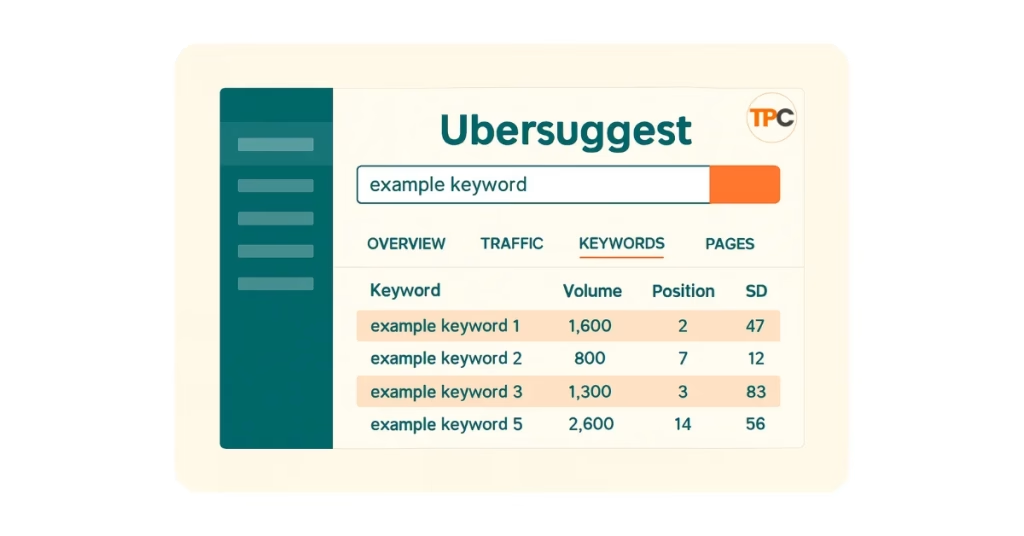
Ubersuggest was one of the first tools that actually made SEO click for me. I could type in a topic like “affiliate marketing for beginners” and instantly see:
- How many people search for it every month?
- How hard it is to rank.
- Related keywords I hadn’t thought of.
The free version has limits, but it’s more than enough to get started.
Great for: finding content ideas and checking keyword difficulty.
The first time I used Ubersuggest to search a keyword, it clicked. I finally got why some blog posts draw traffic and others don’t.
2. Google Keyword Planner: Reliable Data (But Tricky to Access)
Google Keyword Planner is a free tool for keyword research in blogging. However, you typically need a Google Ads account to use it. Because of foreign currency issues, I couldn’t activate it right away. But if you can access it, it’s one of the most reliable sources for keyword data.
Great for: accurate search volumes directly from Google.
Tip: Use it alongside Ubersuggest to double-check results.
Other Free SEO Helpers I Used Early On
- Google Search Suggestions – Enter your main keyword in Google. Check out the autocomplete ideas.
- People Also Ask Section – Grab questions people are asking around your topic.
- Google Trends – See if a keyword is growing in popularity.
Don’t overcomplicate SEO in the beginning. Use Ubersuggest free to find ideas, and if possible, activate Google Keyword Planner. Mix these with Google’s suggestions, and you’ll always find blog topics for beginners.
Website & WordPress Setup (Free Essentials)
When I moved from Google’s free Blogger platform to WordPress, I realized how much freedom it gives you. Custom design, plugins, and control everything a beginner needs to grow into a pro.
The best part? You can create a professional-looking WordPress blog using free tools. You won’t need to spend any money. Here’s what I use:
1. Blocksy Theme + Companion: My Favorite Free WordPress Theme
I’ve tried free themes before, but most felt limiting. Blocksy changed the game. It’s lightweight, customizable, and perfect for affiliate blogging.
- Starter Sites: Pre-built templates you can import and tweak.
- Global Styling: Change fonts and colors across your site in seconds.
- Header/Footer Builder: I even added a “Get My Free Toolkit” button in the header, no coding needed.
- Mobile-Friendly: Most readers use their phones, and Blocksy looks great on all devices.
If you want one free WordPress theme for blogging, start with Blocksy.
2. RankMath SEO (Free): Easy SEO Help
Yoast was my first SEO plugin, but it felt limited for a beginner (only one keyword). Then I found RankMath and I never looked back.
- Focus keyword suggestions
- Readability and SEO score
- Schema (rich snippets) support, even in the free version
- Easy setup wizard for beginners
RankMath basically holds your hand and shows you how to optimize every blog post.
3. Elementor (Free): Drag & Drop Design
I’m not a web designer, but Elementor makes me feel like one. I can easily drag and drop to create custom pages. I can add sections, too. This way, my site looks polished.
- Great for landing pages, homepages, or custom blog layouts.
- My first moment of pride: building a professional-looking blog page without touching code.
4. Easy Table of Contents: Better Reading Experience
This free plugin automatically generates a table of contents for your posts. It makes long blogs easier to navigate and improves SEO.
5. PrettyLinks: Manage Affiliate Links
Affiliate links can look long and messy. PrettyLinks shortens them into neat, branded links.
- Example: yourblog.com/go/tool instead of affiliate.com/?ref=123xfdfrgyz.
- Looks cleaner and builds trust with readers.
6. Backuply: Free Backups for Peace of Mind
I learned early on that backups are non-negotiable. Backuply helps me keep a safe copy of my site in case something breaks. And it’s free.
7. Fluent Forms: Simple Contact & Email Forms
Instead of expensive form builders, I use the Fluent Forms free version to create:
- Contact forms
- Newsletter sign-up forms
- Feedback forms
8. Site Kit by Google: Analytics in Your Dashboard
This plugin connects your site directly with Google Analytics and Search Console. You don’t need to log into different platforms. I can check traffic and performance directly in WordPress.
9. Modern Image Formats + Code Snippets
- Modern Image Formats: Use lighter formats like WebP to speed up your site’s loading time.
- Code Snippets: Add small custom tweaks without editing theme files. Beginner-friendly and safe.
These free WordPress plugins help beginners build a professional blog. Your site will look good, run well, and be set for affiliate marketing, all with no upfront costs.
Analytics & Tracking
When I launched my blog, I knew one thing for sure: if you don’t measure, you’re just guessing.
Most beginners skip analytics because it feels technical. Setting up free analytics tools for bloggers only takes a few minutes. The insights you gain can transform your blogging experience forever.
Here are the two tools I set up right from the beginning:
1. Google Analytics: Understand Your Visitors
Google Analytics is like your blog’s health monitor. It shows you:
- How many people visit your blog daily, weekly, or monthly?
- Which pages are the most popular?
- Where your readers are coming from (Google, social media, referrals).
- What devices do they use (desktop, mobile, tablet)?
I set it up as soon as I learned about it. The first time I saw real visitors on my blog, it was motivating even when the numbers were small. My work reached people from different countries, and that was exciting.
Even if your traffic is low in the beginning, don’t skip Analytics. Watching the numbers grow, even slowly, will keep you motivated.
2. Google Search Console: See What Keywords You Rank For
If Analytics tells you who’s visiting, Search Console tells you why. It shows:
- The exact keywords people type before landing on your site.
- How many times has your blog shown up in Google search results?
- How often people clicked on your site vs. others.
- Any technical issues (like mobile errors or indexing problems).
I set up Search Console right away. And guess what? Even before I published many posts, my site started showing up for keywords. That early data helped me learn what people were searching for.
Use Analytics to track visitors and Search Console to track keywords. Together, these free tools help you understand your readers and grow smarter.
Email Marketing (Start Free)
Here’s a mistake I made early in blogging. I thought building an email list was something you do later. But the truth is, email marketing is one of the most essential blogging tools for beginners.
Social media platforms can change their rules overnight, but your email list is yours. Even with zero budget, you can start today using free tools.
1. Systeme.io (Free Plan): All-in-One for Beginners
The first email tool I picked was Systeme.io. Why? Because it offers everything in one place:
- Landing pages
- Email automation
- Funnels
- A free plan with enough features to get started
For a beginner, this was a no-brainer. No juggling multiple apps, no paying upfront. Just sign up and start collecting emails.
Why I chose it: I wanted it to be beginner-friendly, free to start, and able to grow with my site. Systeme.io ticked all those boxes.
2. ConvertKit (Later, When You’re Ready)
While Systeme.io is great for beginners, I also keep an eye on ConvertKit. It’s more advanced, designed specifically for creators and bloggers.
- Beautiful sign-up forms
- Tagging and segmentation (so you can send the right email to the right people)
- Free plan available (but limited compared to Systeme.io)
My plan: For now, I’m sticking with Systeme.io. As my list grows and I need more features, I’ll consider switching to ConvertKit or MailerLite.
Don’t wait to build your email list. Even if you only get one subscriber, that’s someone who chose to hear from you directly. Start with Systeme.io free plan. It’s one of the best free email marketing tools for beginners. Later, you can switch to ConvertKit or MailerLite when your list grows.
Productivity & Organization (Optional for Later)
When you’re new to blogging, it feels like your head is full of ideas: post topics, tools to try, things to fix on your site. At first, I kept everything in my head and sometimes in random notebooks. But I quickly realized I needed a better system.
That’s where a few free productivity tools for bloggers can really help.
1. Google Keep: Quick Notes & Ideas
Google Keep is super simple. You can jot down blog post ideas, save a keyword you just discovered, or even voice-record a thought when you’re on the go.
- Works on both phone and desktop.
- Syncs instantly across devices.
Best for: quick, messy brainstorming without worrying about structure.
2. Trello: Visual Task Boards
Trello is like a big board with sticky notes you can move around. Perfect for planning your blog posts and tracking progress.
- Create boards like “Ideas,” “In Progress,” and “Published.”
- Drag and drop tasks as you move forward.
Best for: seeing your blogging workflow at a glance.
3. Notion (Free): The All-in-One Workspace
Notion is a bit more advanced and powerful. You can use it to:
- Plan your entire content calendar.
- Store keyword research.
- Create a blogging knowledge hub.
I haven’t fully started using Trello or Notion yet, but they’re on my list. For now, I’m keeping things simple with Google Keep until I build a regular posting rhythm.
Productivity tools aren’t mandatory when you’re starting out. Publishing often? Tools like Trello or Notion can keep you organized and on track.
How These Blogging Tools Helped Me?

Choosing the right blogging tools is one thing. Actually using them and seeing the impact, that’s what gave me confidence to keep going. Each blogging tools I mentioned earlier played a role in shaping my blogging journey. Here’s how they helped me personally:
Blog Writing Tools Gave Me Confidence
When I started, I wasn’t confident about my English. Grammarly became my safety net. I wrote directly inside it and watched mistakes disappear. Over time, my writing improved, and I didn’t feel embarrassed about hitting “publish.”
Hemingway was my clarity coach. It reminded me that blogging is about simple, clear sentences. Now, instead of writing like a textbook, I write like I’m talking to a friend.
And ChatGPT? Honestly, it felt like having a close friend sitting beside me. I shared my struggles, future plans, and even dreams. It didn’t just give me blog outlines. It gave me motivation to keep moving forward.
Design Tools Made My Blog Look Professional
At first, I used random Google images without knowing about copyright or sizing. It made my blog look messy and untrustworthy.
Once I discovered Canva, Unsplash, and Pexels, everything changed. Suddenly, my blog had sharp, professional images. It felt like my little corner of the internet actually belonged to me.
SEO Tools Helped Me Understand Traffic
I still remember the day I first typed a keyword into Ubersuggest. For the first time, I saw search volume and difficulty scores. That’s when it clicked, SEO wasn’t random. There was a system behind it.
RankMath built on that. It guided me while writing, telling me if my post was optimized. It was like having an SEO coach inside WordPress.
These two are the best free blogging resources for SEO and Keyword research for beginners.
WordPress Setup Made My Blog Real
When I first started, I tried a few blogging platforms free like Blogger, and even some other free blogging websites. They were fine for testing, but I quickly felt stuck, limited in designs, no control, and almost no chance to grow. Moving to WordPress instantly made my blog feel real. It gave me flexibility, freedom, and all the tools I needed to build something that could actually last.
The switch from Blogger to WordPress was like night and day. Blocksy gave me a site that looked modern. Elementor helped me design pages without touching code. And PrettyLinks made my affiliate links look trustworthy instead of suspicious.
The first time I looked at my blog after setting up these plugins, I thought: Yes, this finally looks like a real blog.
Analytics Kept Me Motivated
Google Analytics and Search Console were like fuel for me. Even when traffic was small, I could see people visiting from different countries. That tiny spark of traffic gave me hope: if a few people are finding me, more will come.
Email Marketing Made Me Think Long-Term
Systeme.io was my first step into building an email list. Even before getting many subscribers, just setting it up made me feel like I was building for the future. I know email will be my most valuable asset, so starting early was the right choice.
Every tool I used had a small but powerful impact. Grammarly built my confidence. Canva improved my design. RankMath enhanced my SEO. Systeme.io supports my future growth. One step at a time, these free tools helped me move from “just starting” to “I’m really doing this.”
When to Upgrade from Free Tools?
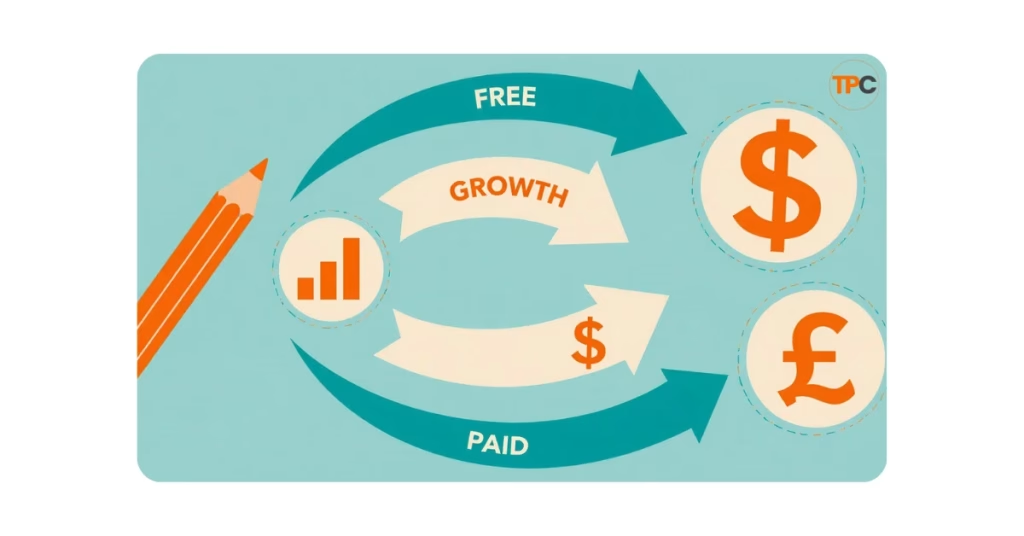
Free tools are perfect for starting out. They let you learn, test, and grow without spending a single dollar. But at some point, you’ll feel their limits. That’s the moment to think about upgrading.
Here’s how I look at it:
1. When You’re Consistent with Posting
If you’re only publishing one blog post every two months, you don’t need to spend money yet. But once you’re writing regularly and building momentum, paid tools can save you time and give you an edge.
2. When You Hit Tool Limitations
- Systeme.io: The free plan works well in the beginning, but once your email list grows, you’ll run into contact limits. That’s when you can move to a paid plan or shift to ConvertKit/MailerLite.
- Ubersuggest: The free plan limits your daily searches. If you’re doing deeper keyword research, you’ll eventually need more data.
- Design tools: Canva Free is helpful. Canva Pro, however, provides brand kits, premium templates, and more stock images. These features can save you hours.
3. When Traffic Starts Coming In
This is the best problem to have! If your blog is bringing in visitors, that’s a sign your hard work is paying off. With more traffic comes more opportunity. But also more responsibility to maintain quality. Paid SEO tools, premium themes, or better hosting can help you scale smoothly.
4. My Personal Upgrade Plan
For me, the first thing I’ll upgrade is SEO tools. Why? Better keyword research and ranking insights attract more readers. More readers lead to higher income, which I can invest back into my blog.
Next, I’ll focus on email marketing upgrades. Building strong ties with subscribers is crucial for success in affiliate marketing.
Start free, learn the ropes, and upgrade only when you’re ready. Don’t waste money too soon. But when the time comes, investing in the right tools will help you grow faster and smarter.
Conclusion: Take the First Step with Free Tools
When I look back, I’m grateful I didn’t jump into expensive tools I didn’t understand. A simple blogging toolkit with free blogging websites, blog writing tools, and other blogging resources gave me the confidence. So that I could learn at my own pace.
Grammarly made me confident in my writing. Canva and Unsplash turned my posts into something visually professional. RankMath SEO helped me understand keywords when I was lost. And Systeme.io, as part of my free toolkit, gave me my very first email subscribers.
If you want the best blogging tools for beginners, remember: you don’t need every flashy plugin or costly subscription. Start with the essentials. Free tools aren’t “weaker” versions. They’re what many successful bloggers started with.
So here’s your challenge today:
- Pick one blog writing tool.
- Pick one design tool.
- Pick one SEO tool.
Set them up, and write your first post. Don’t wait for the perfect theme or the fanciest platform. Progress comes from action, not perfection.
Your blog is a long-term journey. Start with free blogging platforms like WordPress or others. What holds the most importance is consistency. Begin free, grow smart, and upgrade when your blog is ready.
One day, you’ll look back like I did and say, “I’m glad I started with free blogging tools when I did.”
Frequently Asked Questions (FAQs)
1. What are the best free blogging tools for beginners in 2025?
The best free blogging tools to start with are:
Google Docs for drafting
Grammarly is Free for grammar checks
Canva Free for blog graphics
Unsplash/Pexels for free stock photos
Ubersuggest Free for keyword research
Blocksy Theme + RankMath SEO Free for WordPress setup
Google Analytics & Search Console for tracking
Systeme.io Free Plan for email marketing
These are more than enough to build and grow your blog in the early days.
2. Do I need to pay for tools to start blogging?
No. You can start with free blogging tools and still grow your blog. Paid tools become helpful later when you:
Post consistently
Hit the limits of free versions.
Start earning from your blog and want to scale faster.
Start free, upgrade when necessary.
3. What are the must-have free tools for new bloggers?
At the very minimum, you’ll need:
One writing tool (Google Docs + Grammarly)
One design tool (Canva + stock photos from Unsplash/Pexels)
One SEO tool (Ubersuggest Free + RankMath plugin)
One analytics tool (Google Analytics/Search Console)
One email tool (Systeme.io free plan)
4. What is the best free WordPress theme for blogging in 2025?
Blocksy Theme (free) is one of the best. It’s lightweight, customizable, mobile-friendly, and works perfectly with affiliate blogs. Other great free themes are Astra and GeneratePress. However, I personally use and recommend Blocksy.
5. What are the essential free WordPress plugins for beginners?
Some must-have free WordPress plugins are:
RankMath SEO (SEO optimization)
Elementor (page builder)
PrettyLinks (affiliate link management)
Easy Table of Contents (navigation)
Backuply (site backups)
Fluent Forms (forms and sign-ups)
Site Kit by Google (connect Analytics/Search Console)
6. Which are the best free SEO tools for bloggers?
For beginners:
Ubersuggest Free → easy keyword research.
Google Keyword Planner → reliable search volumes (if you can activate).
Google Trends → check the popularity of topics.
Google Search Console → see which keywords your blog is already ranking for.
7. Can I use AI tools like ChatGPT for blogging?
Yes. AI tools like ChatGPT are awesome for brainstorming ideas. They help create outlines and rephrase sentences, too. But don’t just copy-paste. Share your own experiences and examples to make your blog stand out. This adds a personal touch and builds trust with your readers.
8. How do I find free stock photos for blogs?
The best sources for free stock photos are:
Unsplash
Pexels
Pixabay
Avoid grabbing random images from Google — they may be copyrighted.
9. What are the best free email marketing tools for beginners?
Systeme.io Free Plan → all-in-one funnel + email builder.
ConvertKit Free Plan → designed for creators, good when your list grows.
MailerLite Free → simple and beginner-friendly.
10. When should I upgrade from free tools?
Upgrade when:
You’re publishing consistently.
You hit tool limits (like Systeme.io contact limits or Ubersuggest search caps).
Your blog is generating enough traffic or income to justify the investment.
I plan to upgrade my SEO tools first. A better ranking means more readers, which leads to more income.
Start with free tools. They aren’t “less powerful.” They’re what most successful bloggers used when they began. Upgrade only when you’ve mastered the basics and need more features.
11. What are the best free blog writing tools for beginners?
Grammarly, Hemingway Editor, and Google Docs are great starting points. They help with grammar, clarity, and drafting.
12. Are there free blogging resources for learning SEO?
Yes. Google Search Central, Ubersuggest (free plan), and blogs like Backlinko offer valuable beginner-friendly resources at no cost.
13. Which blogging platforms free are best for beginners?
WordPress.com, Blogger, and Medium are popular. But for real control and growth, WordPress.org (self-hosted) is the top choice.
14. Can I really succeed with only free blogging websites?
Yes — they’re great for practice. But for serious blogging, most people eventually move to WordPress.org for flexibility.
15. What is a blogging toolkit?
A blogging toolkit is a set of tools. It includes writing, design, SEO, email, and analytics. These tools help you create, grow, and manage your blog.
16. What are the best blogging tools for beginners if I only want the basics?
Google Docs, Canva, RankMath SEO, and Google Analytics. That’s enough to publish and track your first posts.
17. Is WordPress really free to use?
Yes. WordPress software is free. You’ll only pay for hosting and premium themes/plugins later if you want more features.
18. Can I use Google Docs as a blog writing tools?
Absolutely. It’s free, cloud-based, and easy to use. Plus, you can copy content directly into WordPress.
19. Do I need coding knowledge to use free blogging tools?
No. Most modern tools (like Elementor, Canva, RankMath) are beginner-friendly and require no coding.
20. How can I organize my content ideas for free?
Use Google Keep, Trello, or Notion (all free). They’re simple but powerful for planning posts and managing tasks.
21. Which free blogging tools improve my blog’s design?
Canva is great for visuals. Unsplash and Pexels offer stock photos. Use the Blocksy theme for clean layouts
22. How do I track blog performance without paying?
Google Analytics and Google Search Console are the top free tools. They help you measure traffic, track keywords, and understand audience behavior.
23. What are free alternatives to Canva?
Crello (VistaCreate), DesignCap, and Adobe Express each offer free plans. These plans are great for bloggers.
24. Are there free tools to schedule social media for my blog?
Yes. Buffer, Hootsuite (limited free plan), and Metricool offer free scheduling for small accounts.
25. Can I build an email list using only free blogging tools?
Yes. Systeme.io and MailerLite both provide free plans. You can create forms, landing pages, and email campaigns easily with these tools.
I share everything I learn about affiliate marketing as I go. Here are my most recent posts you might find helpful.
- How to Do Keyword Research for Free (Find Easy Keywords for Beginners)

- Link Juice in SEO: A Simple & Easy Guide for Beginners
- How Bloggers Make Money With Affiliate Marketing Funnels (Simple Guide)
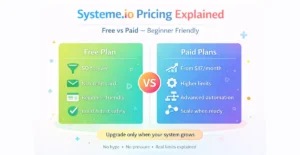
- Systeme.io Pricing Explained for Beginners (Free vs Paid Plans)
- Best Email Marketing Tools for Beginners With No Website