This post may contain affiliate links. If you purchase through these links, I may earn a small commission at no extra cost to you. Read our full Affiliate Disclosure
When you start learning SEO, you will hear the term external link many times. It may not feel clear at first, but the idea is simple.
An external link is any link on your site that sends the reader to another website. These links connect your content to trusted sources on the web. They help readers get more value. They also send strong quality signals to search engines.
Many beginners fear external links because they think these links send people away. The truth is very different. External links can strengthen your content. They can also help improve your rankings when used correctly.
In this guide, you will learn what an external link is, why it matters for SEO, and how to use it safely and straightforwardly. This beginner-friendly guide fits any affiliate marketing or blogging niche.
Table of Contents
What Is an External Link
An external link is a link on your site that points to another site. You click the link and end up on a different website. When your reader uses an external link, they get more details, more examples, or extra proof.
Here are simple examples of external links.
You write about Google Search Console and link to the official Google help page.
You write about WordPress plugins and link to the plugin page on WordPress.org.
You write about keyword tools and link to a trusted SEO blog.
These are all external links. They offer support. They offer context. They help readers understand that you used real sources. This builds trust.
External links are also called outbound links. Both words mean the same thing.
Why External Links Matter
External links play a significant role in SEO. Many new bloggers think that linking out will weaken their own page. This is not true. When you link to high-quality sources, you help both your reader and your site.
Here are the main reasons external links matter.
They build trust with readers.
Readers like clear proof. When you support your claims with a trusted source, your content feels real. It feels honest. Readers stay longer because they feel safe.
They help Google understand your topic.
Google looks at your outbound links to understand your content. When you link to trustworthy sites, you signal to Google that your content is part of a high-quality website. This supports your page authority.
They make your content more useful.
A strong guide does not try to hold everything inside one page. It offers simple links to deeper resources. This gives readers more support without overwhelming them.
They show your research process.
When you link to official tools and trusted guides, people can see that you did your homework. This supports your E E A T signals. Google likes to see real effort.
External links are safe to use. You only need to choose the right sites. Link to pages that offer value. Avoid spam or low-quality sites. This one habit will improve your content.
Dofollow External Links Explained
Many beginners ask about dofollow external links. A dofollow external link is the standard type of link. When you add a link in WordPress, it becomes a dofollow link by default. This tells Google that it can follow the link and pass a small amount of authority to the other site.
You do not need to fear this. Passing a bit of authority is not a bad thing. Your site will not lose power. Google expects natural linking. When you link to trusted sites, your page looks more complete.
Use dofollow external links for most cases. Only use nofollow when you link to a page that should not receive authority. Examples include signup pages, login pages, or any link that does not offer SEO value.
Your regular external links should stay as dofollow. They support your topic. They show your research. They help Google understand your content.
Are External Links Good for SEO
Many beginners ask if external links are good for SEO. The short answer is yes. External links can help your page rank better when they point to trusted and relevant sites. Google wants to show helpful pages. A useful page often links to strong sources.
Think about it from the reader’s point of view. Your reader wants straightforward answers. If your content offers support from official tools or research-based sites, readers gain more value. This leads to better engagement. Google notices that engagement. It becomes a strong quality signal.
External links also show Google that you understand your topic. You connect your guide with the rest of the web. This is good for SEO. It creates a healthy web of information around your content.
You do not need many external links. One to three good links can be enough in most posts. The goal is quality, not quantity.
Do Outbound Links Help SEO
Outbound links help SEO. They help search engines understand the subject of your post. When you link to helpful sources, you create a clear context around your content.
For example, if you write about keyword research and link to Google Keyword Planner, you tell Google that your page is about fundamental keyword tools. If you write about website speed and link to PageSpeed Insights, Google sees a clear topic signal.
Outbound links also reduce confusion. Some beginner posts feel vague or empty. A few well-chosen links add depth. They make your page stronger than a post with no context.
Google pays attention to outbound links that lead to trusted sites. You should not link to spam or low-quality pages. Choose sites that you know and trust. This simple habit improves the health of your content.
Do Outbound Links Improve SEO Performance
Outbound links improve SEO when they support your topic. They help your page show expertise. They make your content easier to understand. They guide readers on a smooth path.
Outbound links improve the user experience. A good user experience supports better ranking. If your visitor finds what they need, they stay longer. They also click more. This is a strong signal for search engines. It shows that your content has value.
Outbound links can also improve your own internal links. When you get used to linking out, you also get better at linking to your own posts. Everything fits into a single, clear structure.
Inbound and Outbound Links Explained
Inbound links are links from other sites pointing to your site. Many people also call them backlinks. These links are essential, but they are not the focus of this guide.
Outbound links are links from your site to other sites. These links show your research. They help readers move across trusted resources.
Both types of links help SEO. Outbound links improve content quality. Inbound links improve page authority. Your goal as a beginner is to understand the difference between outbound links and use them effectively.
How to Add Outbound Links in WordPress
Adding an outbound link in WordPress is simple. Here is a quick guide for beginners.
- Open the post in the WordPress editor.
- Highlight the text you want to use as the link.
- Click the link icon on the toolbar.
- Paste the URL of the external site.
- Click apply.
- Save or update your post.
Your link is now active. WordPress handles the HTML for external links for you. You do not need any coding skills.
If the link points to an external site, you can also choose to open it in a new tab. This helps the reader stay on your site while viewing the new page.
Use clear anchor text for outbound links. Avoid words like click here. Instead, use text that describes the page. This helps both readers and search engines.
How to Find Outbound Links on Your Site
As your site grows, you may forget which posts link out to which sites. This is normal. Many beginners face this problem. The good news is that finding outbound links is simple.
You can check your outbound links in your browser by using the View Page Source option. This method works, but it takes time. A better idea is to use a tool that scans your site. A scanner collects all your external links in one place. It saves time and helps you stay organised.
Another simple method is to use Google Search Console. You can open the Links section and see external sites that receive links from your pages. This view gives you a quick picture of your outbound link structure.
How to Check Outbound Links
You should check your outbound links every few months. This helps you avoid broken links and old resources.
Here are simple steps to check your outbound links.
- Open your post.
- Click each outbound link.
- Make sure the page opens.
- Make sure the page still gives correct information.
- Replace the link if the page is broken or outdated.
This habit keeps your site healthy. It also protects your readers from confusion. A broken link can hurt the flow of your guide. A working link adds trust.
Outbound Link Tracking Explained
Outbound link tracking helps you understand user behaviour. Tracking tells you how many readers click your external links. This data can tell you which posts are most valuable. It can also tell you which guides need more improvement.
If you use Google Analytics, you can set up event tracking for outbound links. Many beginners find this complex. A simple plugin can make it easy. Some SEO plugins and analytics plugins offer automatic outbound link tracking. This removes extra setup work.
Tracking outbound links helps you see what your audience likes. If many readers click a specific tool link, you may write more content about that tool. If readers do not click any links, you may need to improve the placement or the anchor text.
External Link Checker Tools
Several tools can help you find and check outbound links without stress. These tools scan your site and show results in a clear list.
Screaming Frog
This tool scans your site and collects every external link. It also shows broken links. It is helpful when you want a clean overview.
Ahrefs Site Audit
Ahrefs can list your outbound links and show link issues. It is useful when you want deeper SEO data.
Google Search Console
This is a free tool that shows which external sites you link to the most. It also shows how Google sees your links.
Dead Link Checker
This simple tool scans for broken outbound links. It is helpful for quick checks.
You do not need all the tools. Start with the free ones. As your site grows, you can try more advanced tools.
Best Practices for External Links
Here are simple rules that keep your external link strategy safe and strong.
- Link to trusted and relevant sites.
- Use clear anchor text so readers know where the link goes.
- Avoid linking to spam or low-quality pages.
- Open outbound links in a new tab when possible.
- Use dofollow external links for usual sources.
- Use nofollow for pages that should not gain authority.
- Check for broken links and update them.
- Keep your link count natural.
- Focus on value, not volume.
These rules help both readers and search engines. They create a smooth learning experience and support your SEO goals.
Simple Workflow for External Links
Here is a small routine you can follow for every new post.
- Write your draft.
- Mark places where you mention facts or tools.
- Add one to three external links that support your points.
- Check if the links open in a new tab.
- Review your anchor text.
- Update older posts if needed.
- Scan for broken links every few months.
This workflow keeps your content fresh and safe. It also builds trust with your readers.
Conclusion
External links are easy to use and very powerful for SEO. They help readers find more value. They help Google understand your content. They help your site look more complete and more trustworthy.
You do not need a complex plan to use outbound links well. You only need to choose the right sources. Add links that support your topic. Keep them natural. Check them from time to time. This simple approach will keep your site strong.
With the right habit, your external links will improve your content quality and your search performance. It is a small step that brings a significant result.
If you’re interested in learning more about SEO, check out my Complete SEO Guide for a better understanding.
- How to Do Keyword Research for Free (Find Easy Keywords for Beginners)

- Link Juice in SEO: A Simple & Easy Guide for Beginners
- How Bloggers Make Money With Affiliate Marketing Funnels (Simple Guide)

- Systeme.io Pricing Explained for Beginners (Free vs Paid Plans)

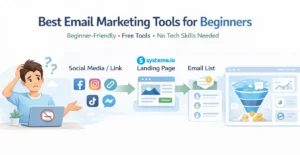
- Best Email Marketing Tools for Beginners With No Website
Suggested Blog Posts
- The Ultimate Affiliate Marketing Guide for Beginners 2025 [Proven + Powerful Strategies]
- Systeme.io Ultimate Guide 2025: Login, Pricing, Features, Reviews, and How to Get Started
- ExonHost Review 2025: Best Hosting for Fast & Reliable Websites in Bangladesh
- 10 Simple Steps to Master Easy Table of Contents in Blocksy
- Blocksy Theme Review 2025: The Best WordPress Theme for Affiliate Bloggers
- How to Use Ubersuggest for SEO and Skyrocket Blog Traffic Fast (Honest Review + Free Trial)
- Avoid These 10 Affiliate Marketing Mistakes Beginners Always Make
Learn More About Outbound Links From Google
If you want to understand how Google views outbound links you can check their official link guidelines. This page explains how to use normal links, nofollow links, and other link types in a safe way. It is a helpful resource for anyone who uses external links for SEO.