This post may contain affiliate links. If you purchase through these links, I may earn a small commission at no extra cost to you. Read our full Affiliate Disclosure
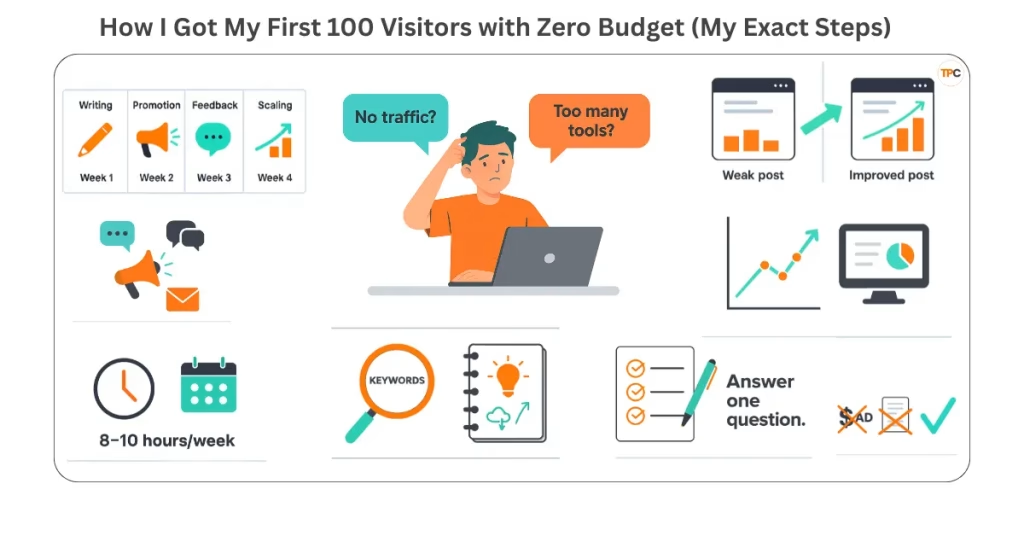
Getting that first small wave of readers is a huge deal.
It proves your idea works. It shows that strangers on the internet care enough to click and read what you wrote. And honestly, it gives you the confidence to keep building.
After I published my first post, How Affiliate Marketing Became My Path to Freedom in 2025. I was excited, nervous, and secretly expecting the visitors to just show up. Of course, they didn’t. At least, not at first.
Like many beginners, I felt lost. I wondered: Am I doing the right things? Should I focus on content, SEO, social media, or tools? The overwhelm was real. Setting up WordPress, plugins, keyword research, and legal pages all felt like too much.
Still, I made myself a promise: I will reach my First 100 Visitors with Zero Budget.
To stay motivated, I set up easy visitor tracking tools from day one. I used Google Analytics, Search Console, and Rank Math. That way, I could watch even the tiniest changes in traffic. I later learned about free tools like SimilarWeb or Ubersuggest to check competitor stats. But at first, tracking my own numbers was enough.
Reaching the first 100 Visitors with Zero Budget changed everything. It gave me hope, direction, and the courage to keep learning. Every little spike in visitors felt like a win.
Now that you have a milestone, don’t worry about thousands of readers yet, just aim for your first 100. To measure progress, install free visitor tracking software, like Google Analytics or Jetpack. With your goal and tools set, it’s time to publish your first blog post this week.
Table of Contents
Why Hitting the First 100 Visitors With Zero Budget Matters
The first 100 visitors change everything.
It’s not just a number. It’s proof that your content works. And that real people are finding value in what you share. You begin to see what resonates, what falls flat, and where you should focus your energy.
For me, hitting the First 100 Visitors with Zero Budget was a turning point. It proved that my idea and my approach weren’t just theory. They actually worked. That small milestone gave me confidence and pushed me to build the systems I’d need later for bigger growth.
Once you have even a trickle of visitors, you also have data. Early clicks, page views, and engagement show patterns. You can track this with simple website visitor tracking software like Google Analytics, Jetpack, or Rank Math. Many beginners skip this step, but without tracking, you’re flying blind.
And yes, sometimes I’d glance at competitor traffic estimates on tools like SimilarWeb for other sites. Not to copy them, but to see which topics attracted an audience. That kind of comparison gave me inspiration for future content.
Treat the journey from 0 to 100 visitors as a testing phase. Don’t obsess over perfection. Publish, track, learn, and adjust. The lessons you gather here will shape everything you do next.
Step 1 – Choosing the Right Content Topic
When you’re starting out, it’s tempting to write about everything at once. But that’s the fastest way to overwhelm yourself and confuse readers. The real trick is to pick one specific question.
I asked myself: If someone were searching on Google, what exact phrase would they type? Then I wrote a post that answered that one question clearly from start to finish.
This focus helped me reach the First 100 Visitors with Zero Budget much faster than I expected. I focused on small, specific questions. This way, I didn’t have to compete with big blogs on broad topics. This way, I could rank more easily.
Here’s the simple process I followed:
- Open search suggestions (Google, YouTube, or even AnswerThePublic) and list 10 questions.
- Pick the question with the most clarity and the lowest competition.
- Check forums like Reddit or Quora to confirm that real people are asking it.
- Write a clear title that promises value in one sentence.
I used free website visitor tracking tools to see which topics did better. Later, I’d check competitor traffic tools like SimilarWeb or SEMrush to see what bigger sites were ranking for.
Don’t aim to cover an entire niche in one post. Instead, pick one “micro question” and answer it fully. Publish it, track it with free website visitor tracking software, and move on to the next. Small wins stack up into your first 100 visitors.
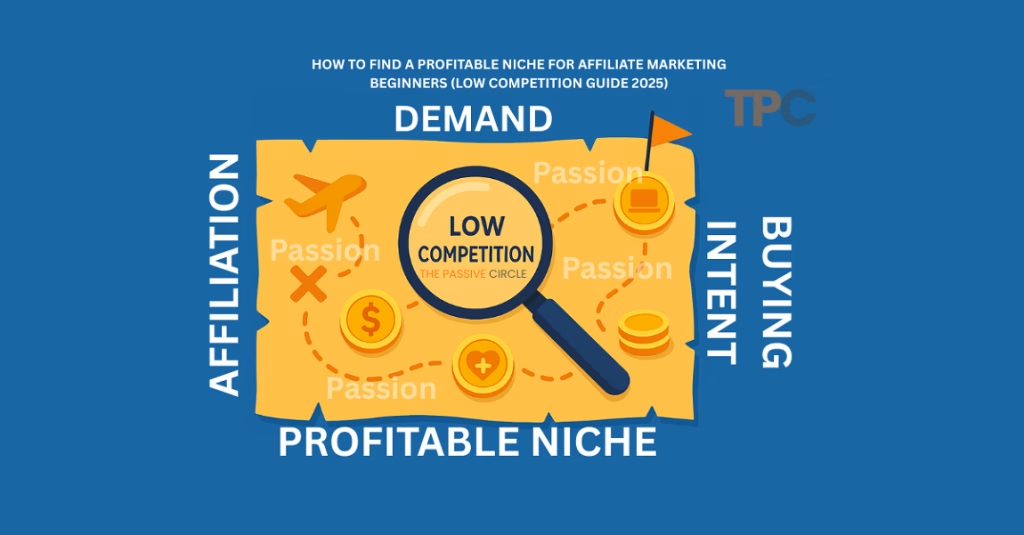
If you’re still stuck on picking a niche, I wrote a full guide on this: [How to Find a Profitable Niche for Affiliate Marketing Beginners (Low Competition Guide 2025)].
Step 2 – Writing Content That Actually Gets Clicks
You can write the best blog post in the world, but if no one clicks, it doesn’t matter. That’s why headlines and structure are everything in the beginning.
I kept it simple:
- Write a clear headline that promises value.
- Start the post by stating the problem in one sentence.
- Use short paragraphs and subheadings so readers don’t feel overwhelmed.
- Add a quick answer near the top for people who skim.
- Break the explanation into steps and bullet lists so it’s easy to follow.
A good title alone can increase clicks dramatically. Testing different headlines helped me get my first 100 visitors with Zero Budget. And it was quicker too. I used website visitor tracking tools like Google Search Console. This helped me find which titles got the most impressions and clicks.
Here’s the basic structure that worked for me:
- H1 → The exact promise (e.g., “How I Got My First 100 Visitors with Zero Budget”).
- H2 → Quick results or steps.
- H3 → Expand on one example or case.
- Bullet lists → Make content scannable and beginner-friendly.
And here’s a quick way to test titles without fancy tools:
- Write three versions of your title.
- Share them with a friend or post in a small online group/thread.
- Pick the one that gets the best engagement or feedback.
Don’t settle for the first headline you write. Draft three options, test them quickly, and choose the one that grabs attention. You can use free website visitor tracking software like Google Analytics to see which titles do well in search results over time.

If you’d like a step-by-step walkthrough, I shared everything in this post: [How to Write Your First Affiliate Blog Post in 2025 (Proven Beginner’s Guide)]
Step 3 – Promoting Without Spending a Dollar
Writing alone won’t bring readers. You must promote yourself, especially when you’re new. I didn’t have money for ads, so I had to rely on smart, zero-budget tactics.
Here’s what I did:
- Joined niche communities and focused on adding value.
- Answered questions that people were already asking and linked back naturally.
- Shared short summaries on social media instead of just dropping links.
- Repurposed parts of my post into threads, mini-guides, and slides.
Small, consistent actions brought steady traffic. They helped me get my first 100 visitors with zero budget.
I also paid attention to how people searched. Using competitor keyword/traffic tools like Ubersuggest or SEMrush showed me what topics people compared and talked about. I used those ideas to shape my blurbs on Facebook, Reddit, and Quora.
Channels that worked for me:
- Niche Facebook groups → where beginners ask simple questions.
- Reddit threads → if you provide real value, not spam.
- Quora answers → context-rich replies with a link back to my blog.
- Small forums → where step-by-step guides are appreciated.
How to share without being spammy:
- Provide a direct answer first.
- Add a one-liner like: “I wrote a short guide because I tested this myself.”
- Drop your blog link at the end as an extra resource.
That way, your link feels like help, not self-promo.
Pick just two communities to start. Show up, add value, and then share your blog as a resource. Over time, this builds trust and visitors.
Step 4 – Tracking Your Visitors the Free Way
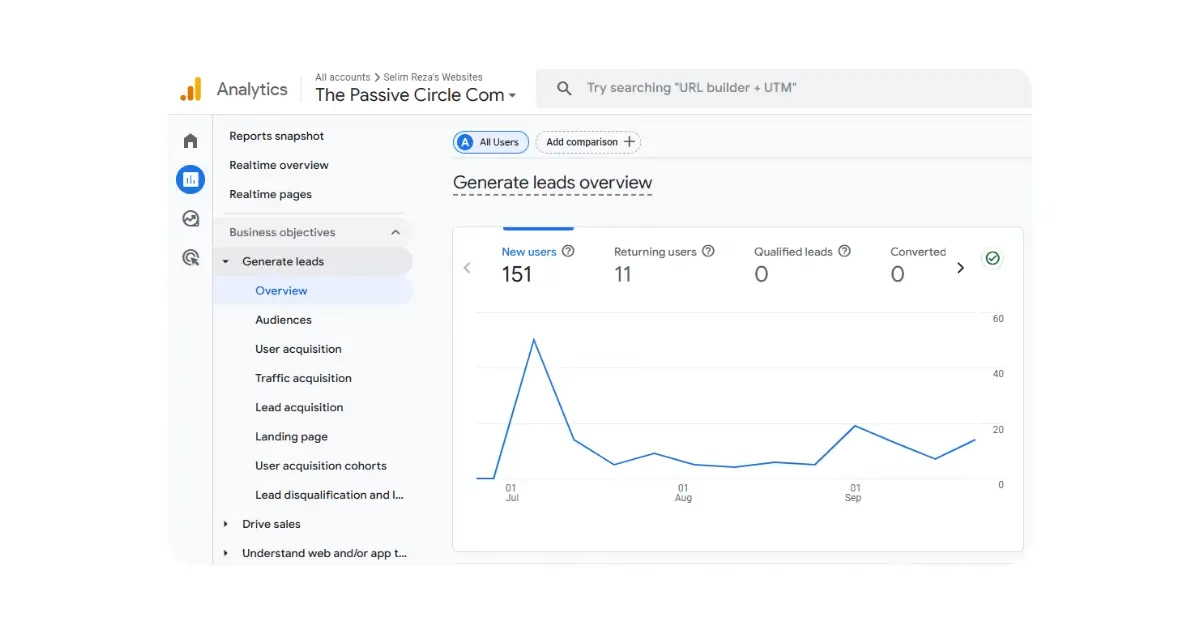
Tracking helped me know what to repeat. I set up analytics on day one. That small step made a big difference. It was the backbone of reaching the First 100 Visitors with Zero Budget.
I focused on a few simple metrics. Not everything. Just what mattered:
- Page views (which pages get attention).
- Source (where visitors came from).
- Time on page (do they read or leave fast).
- Clicks on key buttons (did they follow a CTA).
This short list showed which posts helped get the First 100 Visitors with Zero Budget. I compared several website visitor tracking tools to find the easiest setup. Some tools were quick to install. Others needed extra steps. I chose the ones that gave the most useful signals fast.
I used both free website visitor tracking software and lightweight alternatives. For example, Google Analytics and Search Console gave me searches and sources. A light tool gave me live visitor views and simple click tracking. The mix helped me see the full path: where someone landed, what they read, and where they left.
I also checked competitor traffic comparison tools like SimilarWeb. That helped me get topic ideas that competitors covered. I didn’t copy them. I used the comparison to find gaps I could fill with my own simple guide.
What I tracked (simple set)
- Source — where the visit came from (search, Facebook, Pinterest).
- Landing page — the first page they saw.
- Next actions — did they visit another page?
- Time on page — did they read or bounce?
- Key clicks — clicks on buttons or links I care about.
How I used those signals.
- If a community sent repeat visitors, I posted there again.
- If a social blurb attracted clicks but people left shortly after, I rewrote the intro.
- If a search query builds consistency, I expanded that section in the post.
Small dashboard that you can set up today
- Google Analytics — page views, sources, and events.
- Google Search Console — queries and impressions.
- One light analytics tool (privacy-friendly) — quick live checks.
- A simple plugin, such as Site Kit or Rank Math, can display key stats in your WordPress dashboard.
If you use a website visitor tracking software that supports event tracking, set up a basic event:
- Track clicks on your main CTA.
- Track scroll depth on long posts. These tiny events reveal whether people are engaged.
Why this matters for your First 100 Visitors with Zero Budget: When you track, you stop guessing. You know which community, social post, or title brought visitors. You can repeat what works and drop what doesn’t. That is how I turned small efforts into the First 100 Visitors with Zero Budget milestone.
Step 5 – Learning from Data and Doubling Down
Once you have some visitors, the next step is simple: do more of what already works. Not everything needs fixing. Focus on the few pages that are pulling in traffic and make them even better.
That’s how I kept moving toward the First 100 Visitors with Zero Budget.
I didn’t chase every new idea. Instead, I:
- Improved one page at a time.
- Made small edits, then checked results.
- Doubled down on the formats that brought me traffic.
I also used competitor research tools (like SimilarWeb or Ahrefs) to spot content gaps. If I saw competitors’ ranking for questions I hadn’t answered, I filled that gap in my post. I checked my move using website visitor tracking tools. Then, I scaled it to other posts.
My Simple Doubling Plan
- Find the post with the best engagement: check page views, time on page, and clicks.
- Add 200–300 words answering extra questions or FAQs that you see in Search Console or forums.
- Repromote it in the channel that sent visitors before (Facebook group, Reddit, Quora).
- Link internally from 1–2 related posts on your site. This gives the updated page more authority.
Each of these tiny actions helped me squeeze more value from the same piece of content. No extra budget. Just smart tweaks and re-shares.
Mistakes I Made Along the Way (and How to Avoid Them)
I wish I could say my path to the First 100 Visitors with Zero Budget was smooth. It wasn’t. I tripped plenty of times.
- I skipped promotion once. As a result, traffic fell flat.
- I ignored analytics for a few days and missed important signals.
- I changed titles too often and lost momentum.
What kept me grounded was sticking to my milestone: First 100 Visitors. I fixed my mistakes with the website visitor tracking software. This way, I won’t miss alerts again.
Common Beginner Errors
- Publishing and forgetting to promote the post.
- Trying shortcuts (spammy links that do more harm than good).
- Expecting fast, overnight success instead of small, steady wins.
Track your small failures. If a tactic doesn’t perform after two weeks, stop it and refocus on what works.
Key Takeaways – How You Can Get Your First 100 Visitors Today
Here’s your quick-start checklist:
- Pick one tight topic and solve it clearly.
- Write for one person and make the content scannable.
- Promote your post in niche communities where people actually care.
- Track the tiny wins and repeat them.
Keep the First 100 Visitors with Zero Budget as your first milestone. Use website visitor tracking tools for quick checks. And website visitor tracking software for deeper insights. For competitor research, use website traffic checker tools like SimilarWeb, Ubersuggest, or Ahrefs to spot fresh content ideas.
Make a small plan for this week. Track results in two places (Google Analytics and one lightweight tool).
Tools I Recommend (Free and paid options)
Here are the exact tools I used to track and promote my first 100 visitors with zero budget:
- Google Analytics (free): core tracking for page views and events.
- Google Search Console (free): Check queries, impressions, and indexing issues.
- Plausible (Paid, simple): Privacy-first analytics, great for small sites.
- Clicky (Free tier): Live visitor tracking and a super-easy UI.
- Jetpack (WordPress): Lightweight stats for beginners.
Try testing a few website visitor tracking tools. This will help you find the one that fits your workflow best. Many small bloggers use simple website visitor tracking software. It loads in a short time and provides the basics.
These tools played a key role in getting my First 100 Visitors with Zero Budget.
Affiliate Note: Be honest. If you use a paid tool like Plausible or Clicky, drop your affiliate link only if you genuinely recommend it. Pair it with at least one free option so beginners feel supported.
Install one free tool today and try one paid trial for comparison.
The Time I Spent (Transparency)
I treated this project like a part-time job. I worked evenings after my 9–5 and set aside one full day on Friday.
Most weeks, I spent about 8–10 focused hours. In the first month, I gave more time to research and promotion than to writing. That balance helped me get the First 100 Visitors with Zero Budget faster.
If you’re starting out, track your hours per week and do a simple weekly review. Knowing where your time goes is key. It is as important as knowing your website visitor tracking software metrics.
Plan for 8–10 hours weekly and protect that time like it’s an appointment.
Fail-Fast Experiments (What I Tested and Stopped)
Not every tactic worked. In fact, some failed quickly. That was part of the process.
- I tried long list posts and got almost no clicks. I stopped.
- I tested paid boosts once, but paused them quickly — not worth it for my zero budget milestone.
- I joined two forums, but only one sent real traffic. I focused there.
Failing fast, let me double down on what actually moved me closer to the First 100 Visitors with Zero Budget. It’s the same principle I used when comparing website visitor tracking tools. Keep what’s useful, cut the noise.
Test small, measure fast, and stop underperforming experiments without guilt.
Templates & Scripts You Can Copy
When I was chasing my First 100 Visitors with Zero Budget, writing content wasn’t enough. I needed to share it in the right places — without sounding spammy.
These short scripts made promotion faster and less awkward.
Forum Answer Template
I tried X, and this short guide helped. Here is a simple step-by-step: [link]
Reddit / Quora Answer Template
I wrote a quick guide on this topic. It covers A, B, and C. Hope it helps: [link]
Outreach Pitch Template
Hi NAME — I liked your post on TOPIC. I wrote a short follow-up that adds X. Would love your feedback: [link]
Using scripts like these saved me time and gave structure to my outreach. Combined with website visitor tracking tools, I could quickly see which channels brought the most clicks. Over time, this system helped me hit my First 100 Visitors with Zero Budget.
Copy one of these templates and use it in a real group or thread this week.
Visuals & Audit Before/After (What to Show)
Words are good. Screenshots are better. When I was working toward my First 100 Visitors with Zero Budget, I made a point to capture small wins. They showed progress and built trust.
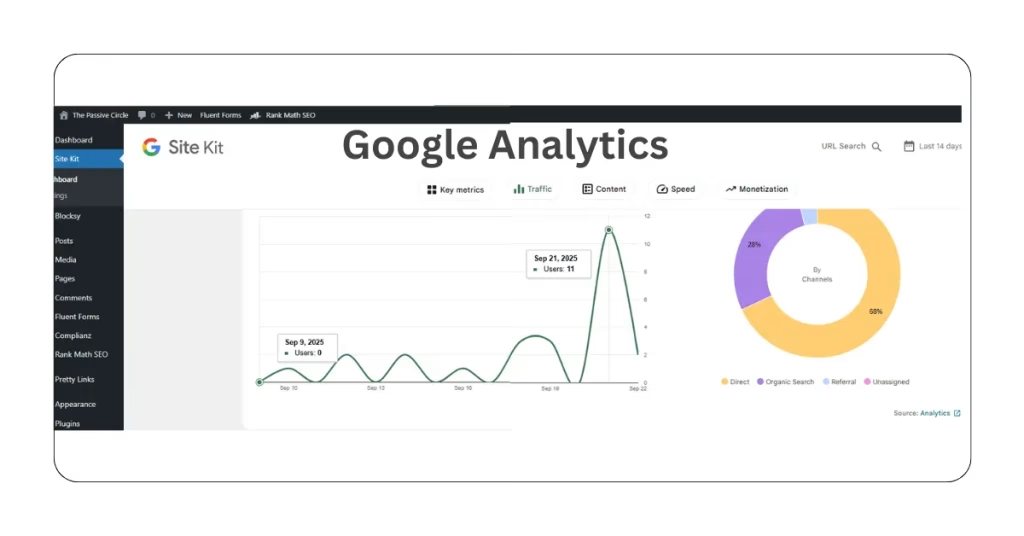
You can view my Google Analytics graph for the past 14 days. Between Sept 8, 2025, and Sept 21, 2025. It displays visits rising day by day. Start from 0 visits per day to 11 visitors on the last single day. Although it’s not stable, hopefully it will develop gradually.
Adding visuals like these makes your growth journey real, not theoretical. Paired with website visitor tracking tools, you will always have proof of what is working.
Capture one screenshot this week — even if it’s small. That’s your audit trail.
Evergreen Setup (Passive Traffic)
Not every post should be a quick win. Some need to be evergreen, built to send steady visitors for months (or years).
How I Set It Up
- Wrote posts that answered questions people keep asking.
- Added internal links from new posts back to those evergreen ones.
- Set a reminder to update content every few months. Include fresh stats, new screenshots, and better structure.
- Kept a simple list of evergreen topics to revisit — at least one refresh per month.
This slow but steady work played a big role in reaching my First 100 Visitors with Zero Budget. While promotion gave me spikes, evergreen posts kept a baseline of traffic.
Why It Works
- Evergreen posts compound over time.
- Updates send freshness signals to Google.
- Internal links keep visitors moving deeper into your site.
Pick 3 evergreen post ideas right now. Add them to a calendar. Schedule one refresh each month.
30-Day Action Plan (Detailed)
If you want your First 100 Visitors with Zero Budget, you need a simple, focused plan. Don’t try to do everything at once; commit to small steps each week.
Week 1 – Research and Setup
- Day 1: Pick one single topic and write a one-page outline.
- Day 2: Draft a short post that answers one clear question.
- Day 3: Set up basic analytics using Google Analytics or a free tracking tool. Also, add a simple email capture form.
- Day 4: Find three active places where your audience gathers. Check Facebook, Reddit, Quora, and niche forums.
- Day 5: Prepare a short social blurb and a few quick answers for forums.
- Weekend: Polish your post and add 1–2 simple images.
Week 2 – Publish and Promote
- Publish your post early in the week to give time for promotion.
- Post helpful answers in two communities. Include your link only if it aligns with the context.
- Share a short thread or carousel on social media with your main tips.
- Use website visitor tracking tools to identify early visitors and their sources.
Week 3 – Iterate
- Edit your headline based on feedback or impressions.
- Add one mini-FAQ section to the article to catch extra keywords.
- Repost the social thread with a stronger visual.
Week 4 – Scale
- Write a follow-up guide that links back to your first post.
- Reach out to one small blogger or creator to swap mentions.
- Check progress in analytics (Google Analytics, Search Console, or competitor traffic tools like SimilarWeb or Ubersuggest). Plan your next month based on the data.
Follow this week-by-week plan and measure your results. The system works if you do.
Sample Weekly Schedule (8–10 hours/week)
You don’t need full-time hours to hit your First 100 Visitors with Zero Budget. Consistency matters more than raw time. Here’s a simple schedule you can follow with about 8–10 hours per week:
- Monday: 1 hour of research + 1 hour of writing.
- Tuesday: 1 hour of editing and formatting.
- Wednesday: 1-hour promotion in niche communities.
- Thursday: 1 hour of social content and repurposing (threads, short posts, slides).
- Friday: 3–4 hours of deep work (writing new posts + outreach).
This balance helps you progress in content, promotion, and tracking. It keeps you from burning out.
Block the time in your calendar this week. Protect those hours like appointments.
Repurposing Checklist
Don’t let a single blog post sit there. Repurpose it and squeeze more reach out of the same effort:
- Turn a post into a 6-tweet thread (quick takeaways).
- Make a 60-second video summarizing the post (great for Reels/Shorts).
- Create a short slide deck for LinkedIn or Facebook (visual learners love this).
Pick one repurposed format this week and publish it.
Longer Outreach Template
When you’re ready to build relationships, use this simple outreach script. Keep it personal and short.
Hi [Name],

I read your recent article on [topic] and loved the practical tips.
I wrote a short follow-up that adds one quick example and a step-by-step checklist.

If you find it useful, I’d be happy to exchange a link or collaborate on a small roundup.

Thanks,
[Your name]
Send this to one site you respect this week.
FAQ: Common Questions
Q1: How long until I see results?
A: You may notice small gains in 2–4 weeks. Some channels move faster than others. What matters is consistency — little actions daily or weekly stack up over time.
Q2: Do I need to buy tools?
A: Not right away. Free and budget-friendly tools provide enough support for blogging, email capture, and tracking. Invest later once you see traction and know what you actually need.
Q3: How much time should I spend each week?
A: Around 8–10 hours per week is a great start. That’s 1–2 hours daily or a few deep work sessions. The key is steady, repeatable effort.
Q4: What’s the easiest niche for beginners?
A: Choose a niche where:
You have some interest or knowledge.
There is a clear demand (people are searching for solutions).
There are affiliate products that solve problems. Don’t chase “perfect.” Pick one niche and start. You can refine it later.
Q5: How many blog posts do I need before I can earn?
A: Even one focused post can bring traffic and clicks if promoted well. But for steady growth, aim for 10–20 posts that cover different beginner questions in your niche.
Q6: Should I focus on SEO or social media first?
A: SEO is slow but long-term. Social media is fast but short-term. Best approach: apply a gentle touch in both actions. Create SEO-friendly posts and share them on one or two platforms that your audience uses.
Q7: Can I start affiliate marketing without a website?
A: Yes, you can start with YouTube, Medium, or social media. But a website gives you control, authority, and long-term growth. Even a simple blog is worth it.
Q8: How do I choose which products to promote?
A: Look for products that are:
Useful for your audience.
Offer recurring or high commissions.
Have good reviews and support. Promoting random products for commission rarely works.
Q9: What if nobody clicks my links?
A: This happens to everyone at first. Focus on:
Clear calls to action (CTAs).
Writing about problems that people seek out.
Building trust first, links second. With practice, your click-through rate will improve.
Q10: Is affiliate marketing passive income?
A: Not at the start. In the beginning, it’s active work — writing, promoting, and testing. Over time, well-written posts and evergreen content can bring passive traffic and income.
Q11: What is website traffic Alexa?
A: “Website traffic Alexa” usually refers to Alexa.com’s traffic checker and ranking system. For years, bloggers and marketers used Alexa to estimate how much traffic a site was getting and where it ranked globally. However, Amazon officially shut down Alexa.com in May 2022. That means you can’t use the Alexa website traffic checker anymore. If you’re looking for similar tools today, the best alternatives are SimilarWeb, Ubersuggest, or Ahrefs — they provide fresh data on competitor traffic and keywords.
Q12: Is website traffic Alexa still available in 2025?
A: No, the Alexa traffic ranking tool is no longer available. Beginners still search “website traffic Alexa” because many old tutorials mention it, but it’s outdated. Instead, you can use free or affordable tools like SimilarWeb (free version), SEMrush, or Ubersuggest to check competitor stats. These platforms let you analyze website visitors, top keywords, and traffic sources — just like Alexa once did, but with more accurate data.
Q13: What are the best alternatives to website traffic Alexa?
A: Since Alexa was shut down, here are the top tools you can use instead:
SimilarWeb (Free + Paid) – Quick competitor traffic overview.
Ubersuggest (Free + Paid) – Beginner-friendly, good for keyword + competitor insights.
Ahrefs (Paid) – Advanced SEO + backlink + traffic analysis.
SEMrush (Paid) – All-in-one SEO + competitor tool.
If you’re just starting out on a zero budget, I recommend testing SimilarWeb free version or Ubersuggest’s free tier. They’re the closest replacements for website traffic Alexa and give you enough insights to grow without spending right away.
Bookmark this FAQ. Revisit it as you build. Each answer is a mini-step you can act on today.
Want extra help? Grab my Beginner’s Affiliate Starter Toolkit so you never miss a step. Or check out my full affiliate marketing step-by-step guide for beginners.
I share everything I learn about affiliate marketing as I go. Here are my most recent posts you might find helpful.
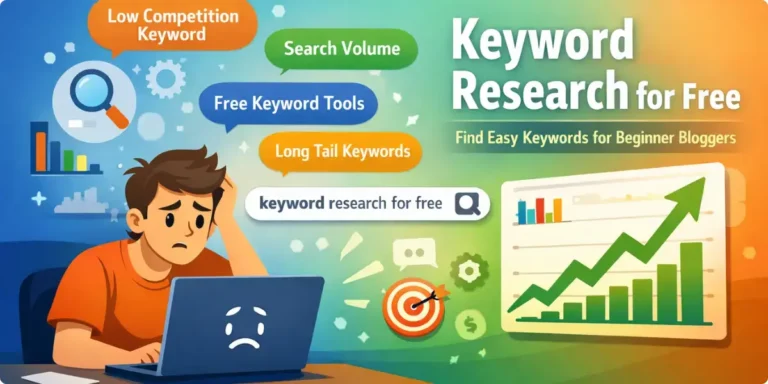
- How to Do Keyword Research for Free (Find Easy Keywords for Beginners)

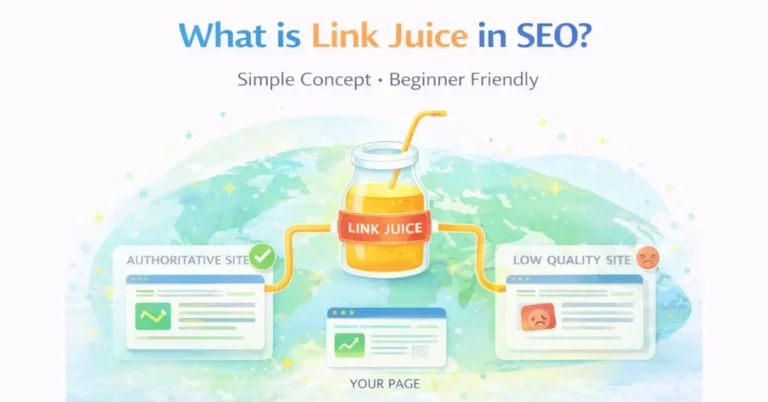
- Link Juice in SEO: A Simple & Easy Guide for Beginners
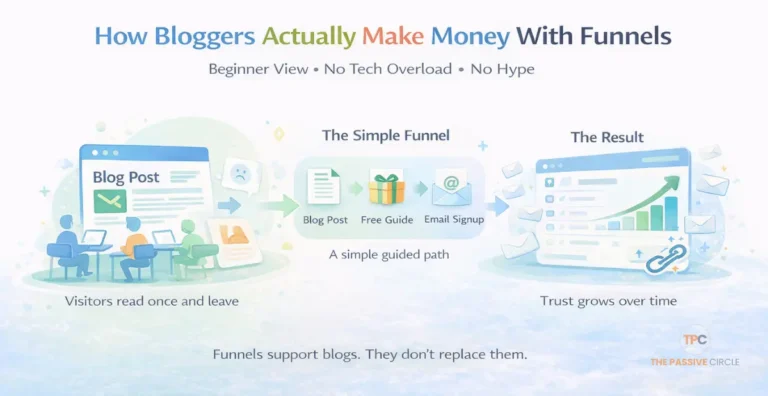
- How Bloggers Make Money With Affiliate Marketing Funnels (Simple Guide)
- Systeme.io Pricing Explained for Beginners (Free vs Paid Plans)
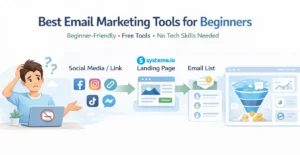
- Best Email Marketing Tools for Beginners With No Website