This post may contain affiliate links. If you purchase through these links, I may earn a small commission at no extra cost to you. Read our full Affiliate Disclosure
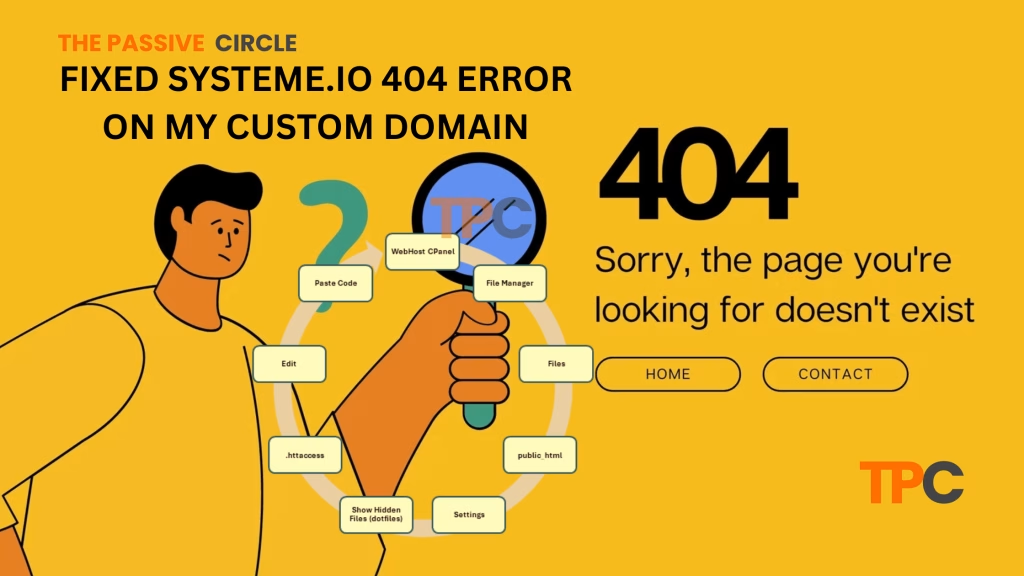
My domain was showing a systeme.io 404 error!
Just the other day, my friend Shimul from Khulna, Bangladesh, called me up. He had a brand-new idea and wanted help picking a domain name.
So, we jumped on Namecheap and shared our screens over the phone. We spent about 30 minutes brainstorming together.
Finally, we found a perfect name—mission accomplished!
Then Shimul asked me about my website. I proudly told him:
Just visit www.thepassivecircle.com
He clicked it while we were still on the call…
Suddenly he goes:
“Bro… it’s showing a 404 error from some systeme.io site. What’s this?”
I was shocked. That’s not what I expected.
Instead of showing my WordPress site, the domain redirected to a broken systeme.io page. It was confusing, frustrating, and honestly a bit embarrassing.
But… I dug into the issue, and I solved it!
Are you a beginner who has just started your journey on an online platform, like me? Are you choosing a smart domain name without www? Then, most probably, you can face the same problem as I. This blog shares exactly what went wrong and the way to fix it. Let’s deep dive into this.
Table of Contents
Why This Happens (The Root Cause)
A few days ago, I was deep into learning about Systeme.io—how it works, how to create funnels, and how to connect it with my WordPress site.
I followed tutorials from YouTube, asked ChatGPT, and even checked random blog posts.
The setup seemed easy… so I thought.
I followed the exact steps from a tutorial —
Added my domain to systeme.io as www.thepassivecircle.com
Connected it to a funnel
Everything looked perfect — or so I believed.
But here’s the thing—I didn’t realize what that step actually did.
Systeme.io took control of my full domain, including the “www” version.
So what happened?
Anytime someone typed www.thepassivecircle.com, they were taken to my systeme.io funnel, not my WordPress site. But since there was no live funnel on that URL, it threw a 404 error.
That’s the catch: if you’re using the same domain for both WordPress and Systeme.io (for email or funnel setup), and you don’t configure it carefully…
Conflict happens.
Systeme.io overrides your domain, and visitors land on a broken page.
And trust me, if you’re just blindly following tutorials (like I did),
You’ll never know why it’s happening until someone clicks your site and gets confused.
What I Actually Wanted (But Got Hijacked Instead)
Let’s be real—my plan was super simple:
I wanted my main domain thepassivecircle.com to run my WordPress site—where I publish blogs, guides, and affiliate content.
And for funnels, lead magnets, and email stuff with Systeme.io—I planned to use a subdomain, like.funnels.thepassivecircle.com
Seems logical, right?
But guess what?
When I added it www.thepassivecircle.com inside systeme.io (just like the tutorial showed) —
It hijacked my entire “www” version of the domain.
Meaning:
- Typing
thepassivecircle.com→ shows my WordPress site - Typing
www.thepassivecircle.com→ lands on a Systeme.io 404 page
It was like giving systeme.io the keys to my whole front gate —
But I only meant to let it use the backdoor (subdomain)!
My Proven Method to solve the systeme.io 404 Issue Fast
Step 1: Removed systeme.io DNS record for www.thepassivecircle.com
If you mistakenly added it (like I did), delete it.
Step 2: Added the correct A record in DNS
Host: www
Type: A
Points to: 209.159.220.180 (Your web host IP)
Step 3: Redirect www to non-www using .htaccess
Paste this code in the first line of your .htaccess file (under /public_html):
RewriteEngine On
RewriteCond %{HTTP_HOST} ^www\.thepassivecircle\.com$ [NC]
RewriteRule ^(.*)$ https://thepassivecircle.com/$1 [L,R=301]
Bonus Tip – Use a Subdomain for Systeme.io Instead
Here’s what I learned the hard way (so you don’t have to):
Never use your root domain (like www.yoursite.com) for Systeme.io if your main website runs on WordPress.
Instead, play it smart like I did
Use a Subdomain (Example: offers.thepassivecircle.com)
Why?
- Keeps your WordPress site safe and separate
- Easier to manage funnels and emails
- No more hijacking or 404 errors!
Just add this to your DNS settings:
Host: offers
Type: CNAME
Points to: d38eruk3ivaz5b.cloudfront.net
Within minutes, your Systeme.io funnel will live on offers.thepassivecircle.com — and your main site will stay untouched. Clean and conflict-free!
Final Result – It Works Like a Charm!
After all the confusion, tweaks, and head-scratching…
My main site (thepassivecircle.com) is back online
My funnel is now live on offers.thepassivecircle.com
Smooth experience — no more annoying 404 errors
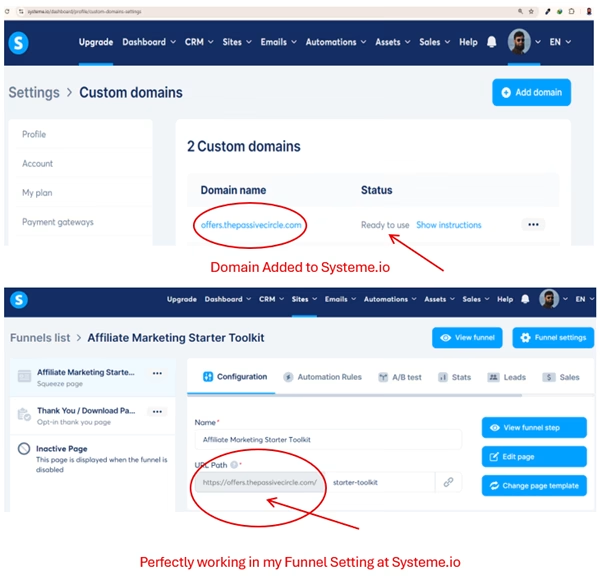
Feels like a little victory dance moment!
How to Redirect www to non-www using .htaccess
Let’s go deep into Step 3: Redirect www to non-www using .htaccess
Paste this code in the first line of your .htaccess file (under /public_html):
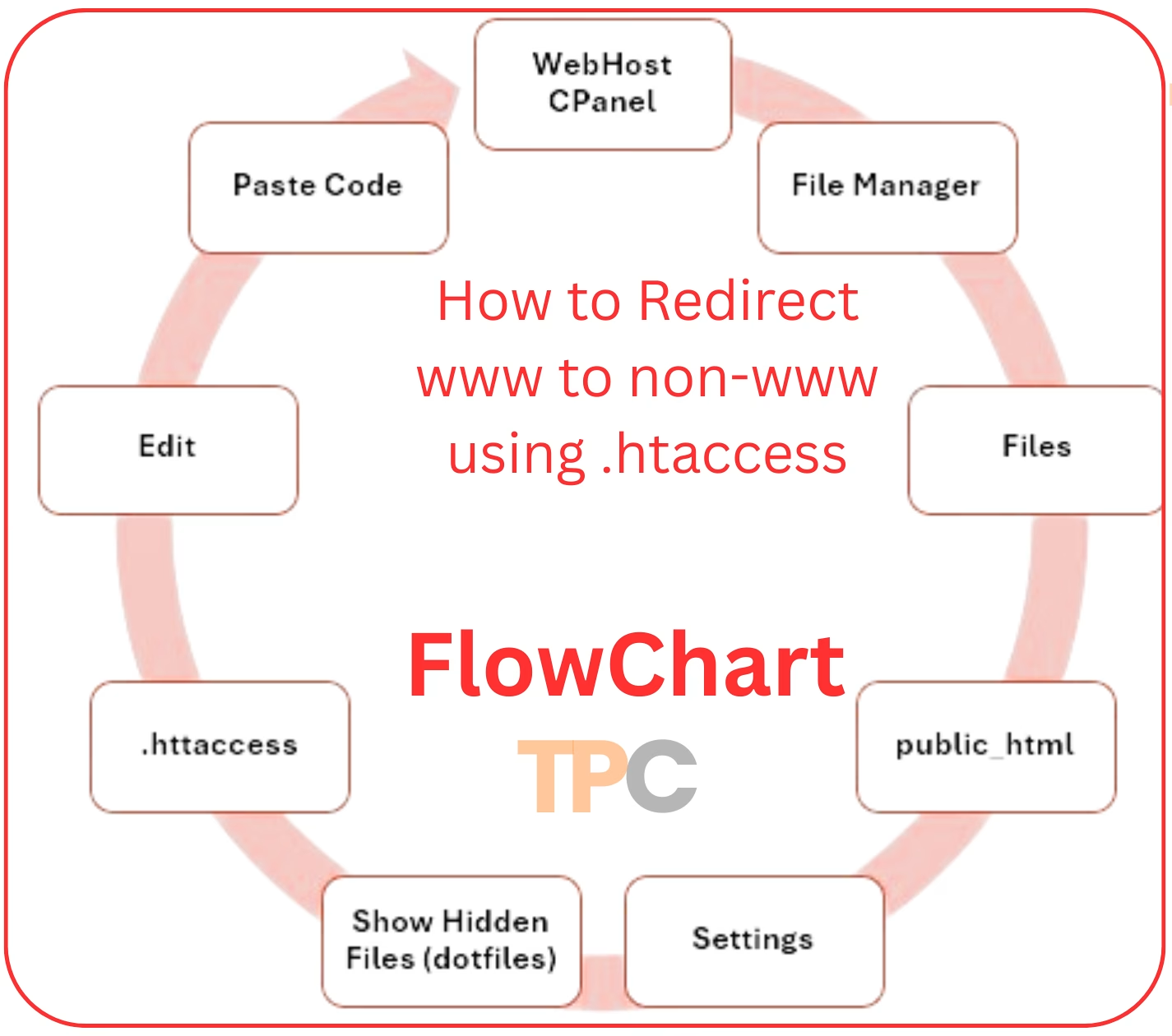
My website is thepassivecircle.com. However, it shows a 404 error when people search for www.thepassivecircle.com! So I need to Redirect visitors from www.thepassivecircle.com to my thepassivecircle.com
Here, I’m sharing the process, and you should follow carefully:
Go to your WebHost CPanel. Find File Manager in Files Section. Go to public_html and search for .httaccess
If you are unable to find .httaccess, well I happens. At least happend to me!
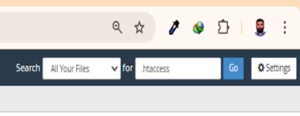
In that case, you should search for Settings.
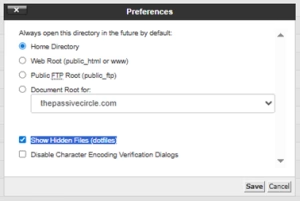
Click Show Hidden Files (dotfiles) same as the image show. Then Save it.
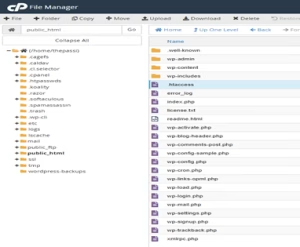
Now you can find .httaccess. Right click and select Edit. It will show a Box like bellow
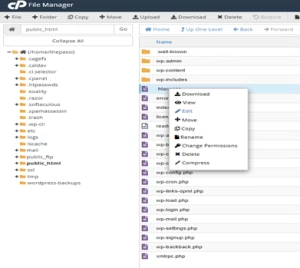
First download the file and keep a backup of the file .httaccess to avoid risk. If so, click Edit. You will see a box named Edit.
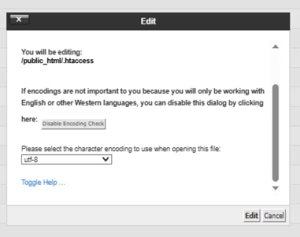
Keep it as it is. Click edit.
You can see the page as below except for the first three rows, which I paste here (the code). Maybe you can see the page start from Row 3
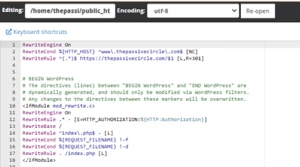
The first three rows are the code I paste at the first (Row 1) in .httaccess. You should DO the same.
Now you need to copy and paste the code as I provide below.
RewriteEngine On
RewriteCond %{HTTP_HOST} ^www\.thepassivecircle\.com$ [NC]
RewriteRule ^(.*)$ https://thepassivecircle.com/$1 [L,R=301]
RewriteEngine On
RewriteCond %{HTTP_HOST} ^www\.thepassivecircle\.com$ [NC]
RewriteRule ^(.*)$ https://thepassivecircle.com/$1 [L,R=301]
Save Changes. Congratulations!!!! We did it!
Now go to your browser. Search www.yourdomainname.com. Check whether it is working or not. You should search your website with www and without www. Each time, is it showing your website? Yes? It’s Done! You should thank yourself for doing such a tremendous job without being a tech expert!!!
You Can Fix It Too
If you’re seeing that Systeme.io 404 error, don’t freak out like I did at first.
Just:
Breathe
Follow the steps I shared
Bookmark this blog so you don’t forget
And if you ever get stuck? Comment below or DM me.
I’m not a tech expert, just a guy learning by doing. And helping others who are on the same path.
Grab My FREE Affiliate Marketing Starter Toolkit
Join my friendly newsletter for beginner tips, honest experiences & weekly updates, from one dreamer to another.
If you’re just getting started and want to understand how the platform works, go through the following articles. Best wishes of your Affiliate Marketing Journey.
Suggested Posts
- How Does Systeme io Work? Discover the Easiest Way to Start Online in 2025
- Do I Need SSN for Systeme.io? 7 Shocking Facts Every International User Should Know
- How to Create a Landing Page in Systeme io That Converts Fast 2025 [No Tech Skills Needed]
- Flawless Domain Authentication Systeme.io Made Easy for Beginners [2025]
- How to Remove Powered by Systeme io Footer (Quick & Easy 2‑Minute Fix!)
- Systeme.io Affiliate Program Review (2025): 9 Secrets to Earn Passive Income Fast
- How I Fixed Systeme.io 404 Error on My Custom Domain (Beginner’s Guide)
- Systeme.io Ultimate Guide 2025: Login, Pricing, Features, Reviews, and How to Get Started
I share everything I learn about affiliate marketing as I go. Here are my most recent posts you might find helpful.
Recent Posts
- How to Do Keyword Research for Free (Find Easy Keywords for Beginners)

- Link Juice in SEO: A Simple & Easy Guide for Beginners

- How Bloggers Make Money With Affiliate Marketing Funnels (Simple Guide)

- Systeme.io Pricing Explained for Beginners (Free vs Paid Plans)
- Best Email Marketing Tools for Beginners With No Website