This post may contain affiliate links. If you purchase through these links, I may earn a small commission at no extra cost to you. Read our full Affiliate Disclosure
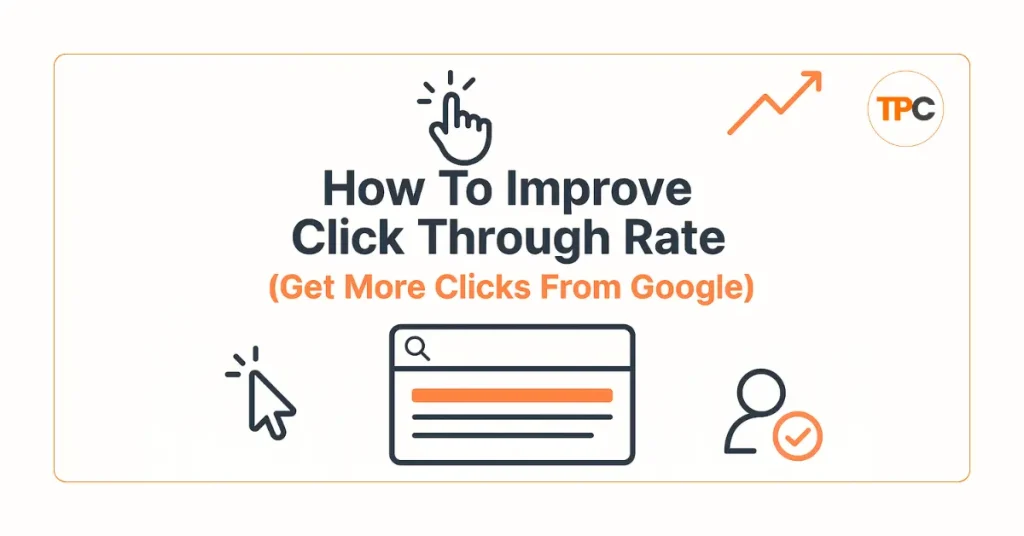
Click Through Rate, or CTR, is one of the most critical engagement signals in SEO. It tells you how many people click your page after seeing it in Google search results. The higher your CTR, the more traffic you get, even if your ranking doesn’t change.
For beginners, improving CTR is one of the fastest SEO wins. You don’t need backlinks. You don’t need technical skills. You only need a strong title, a clear description, and a page that matches what users want.
In this guide, you’ll learn what Click Through Rate really means, why it matters for SEO, and how to improve click through rate today.
Table of Contents
What Click Through Rate (CTR) Means in SEO
CTR shows how many users click your search result out of everyone who sees it.
For example:
If 100 people see your result and 10 click it, your CTR is 10%.
CTR tells Google whether your page looks interesting and relevant. If people keep choosing your page over others, Google may rank it higher in search results.
A substantial Click Through Rate (CTR) can:
- Bring more traffic instantly
- Help your rankings climb
- Improve engagement signals
- Increase affiliate clicks
- Strengthen your overall SEO
CTR is not about tricks. It’s about understanding what users expect and giving them a reason to click your link.
Why Click Through Rate Matters for Beginners
As a beginner, you might struggle with backlinks or domain authority. But CTR is something you can improve today with simple changes.
Here’s why CTR matters:
- Higher CTR = more traffic without ranking higher
- Google rewards pages with substantial CTR
- Strong CTR increases engagement
- It helps your content stand out against competitors
If your CTR is weak, Google might think your page isn’t relevant. If your CTR is high, Google sees your result as valuable and may push it higher in search results.
Click Through Rate is one of the easiest SEO factors beginners can control.
How CTR Improved My Blog Traffic
When I first started blogging, my posts ranked on page one but received almost no clicks. I thought Google wasn’t showing my content. But the problem wasn’t the ranking. It was the title and description.
My titles were plain.
My descriptions were unclear.
Nothing motivated users to click.
Once I rewrote my titles in a more straightforward, more helpful way, everything changed. My Click Through Rate doubled. My impressions turned into real traffic. And over time, Google pushed my pages higher.
This experience taught me that even minor improvements in CTR can produce significant results.
Before and After Examples (What Good CTR Looks Like)
Before (Weak Title and Description)
Title: SEO Tips for Beginners
Meta Description: Learn SEO basics for your blog.
This is too simple. No hook. No value. No reason to click.
After (Strong Title and Description)
Title: SEO Tips for Beginners: Simple Steps to Rank Faster
Meta Description: Want easy SEO steps you can follow today? Learn the beginner-friendly methods that help you rank faster without confusion.
The second version speaks to the user’s problem and promises a simple solution. That’s what increases CTR.
How To Improve Click Through Rate
1. A Clear, Strong Title
Your title is your most significant chance to get the click.
A strong SEO title should:
- Match the search intent
- Use simple language
- Promise a clear benefit
- Include the main keyword
- Speak directly to beginners
CTR improves when users feel your page has exactly what they need.
2. A Useful Meta Description
Your meta description is like your sales pitch in Google search results.
It should:
- Welcome the user
- Explain the value
- Use beginner-friendly wording
- Create curiosity
- Add a soft call-to-action
Keep it under 150–160 characters.
Google truncates long descriptions.
3. Match the Search Intent
People click when your title matches what they’re searching for.
Examples:
If the keyword is:
“How to start affiliate marketing.”
A title like:
“Start Affiliate Marketing: Simple Beginner Guide (Step-by-Step)”
matches their intent.
This increases Click Through Rate because it feels relevant.
4. Use Emotional and Helpful Language
Words like:
- Simple
- Easy
- Free
- Step-by-step
- Beginner guide
- Without confusion
Make your title more clickable without being clickbait.
5. Add Numbers or Clear Promises
Titles with numbers often perform better:
- 5 steps
- 3 simple tips
- 10 best tools
Numbers help people scan results and choose your link faster.
6. Improve Your URL Structure
Clean URLs with clear keywords improve trust.
Example:
yourdomain.com/affiliate-marketing-beginners
is better than
yourdomain.com/p=82439
PrettyLinks helps keep your URLs clean and straightforward, especially for affiliate links.
7. Use Schema Markup (Optional)
Schema can add:
- FAQ dropdowns
- Review stars
- How-to steps
- Product info
Rank Math Pro makes adding schema easy, even for beginners.
Schema helps your result stand out, which improves CTR.
Tools to Improve and Track CTR
Google Search Console
Shows your CTR, impressions, and clicks for each keyword.
Ubersuggest
Helps analyze top pages and Click Through Rate patterns.
Rank Math Pro
Builds better titles, descriptions, and schema.
Canva
Helps design custom featured images, which impact Click Through Rate on social platforms.
PrettyLinks
Makes your affiliate URLs clean and trustworthy.
These tools help beginners understand what works and what needs improvement.
Small Tutorials for Beginners
How to Find Pages With Low Click Through Rate (CTR)
- Open Google Search Console
- Go to Performance
- Sort by Lowest Click Through Rate (CTR)
- Look for keywords with high impressions but low clicks
- Rewrite titles and descriptions for those pages
This simple routine boosts traffic without writing new content.
How to Rewrite a Low-CTR Title
- Include the main keyword
- Add a benefit
- Speak to the user directly
- Please keep it simple and clear
Example:
Weak: “Internal Links Guide”
Strong: “Internal Links for Beginners: Simple Guide to Improve SEO Fast”
How to Improve Your Meta Description
- Start with the user’s problem
- Promise a simple solution
- Highlight the value
- End with a small call-to-action
Example:
“Confused about internal links? This beginner-friendly guide shows you simple ways to improve SEO and help users find your best content.”
Click Through Rate Mistakes Beginners Should Avoid
- Using titles that are too long
- Using unclear or generic descriptions
- Not adding keywords to titles
- Using clickbait wording
- Adding no value in the description
- Ignoring low CTR reports
- Writing titles for Google instead of people
Avoiding these mistakes improves CTR immediately.
Why Google Cares About Click Through Rate (CTR)
CTR tells Google:
- Does this page look relevant?
- Do searchers trust this page?
- Does this title match the intent?
If users repeatedly choose your page, Google assumes your content is the best match. Over time, this helps your ranking climb, even with fewer backlinks.
CTR is one of the few SEO factors that can grow your traffic almost overnight by improving just your title and description.
Quick CTR Checklist Before You Publish
- Does my title match the search intent?
- Is the title simple?
- Is my main keyword inside the title?
- Does my description explain the value?
- Is the description under 160 characters?
- Does the title speak to beginners?
- Is the URL clean and readable?
- Did I avoid clickbait wording?
- Is there an explicit promise or benefit?
If you can say yes to most of these, your CTR will improve.
Now that you know how to improve your Click Through Rate, it’s time to understand another key SEO signal:
👉 Read: Dwell Time for Beginners
This guide will show you how to keep visitors on your page longer, improve engagement, and boost your SEO even more.
FAQs: Click Through Rate
1. What is click through rate (CTR)?
Click through rate (CTR) shows what percentage of people click your page after seeing it in Google search results. It helps you see how appealing your title and description are.
2. How do you calculate click through rate?
You can calculate CTR with this simple formula:
CTR = (Clicks ÷ Impressions) × 100
For example, if 10 people click your page out of 500 impressions, your CTR is 2%.
3. Why is CTR important for SEO?
CTR matters because it shows Google whether users prefer your result over others. A higher CTR can lead to increased traffic and, in some cases, better rankings.
4. What is a good click through rate?
A “good” CTR depends on your position.
Position 1: 10%–30%
Position 2–3: 5%–15%
Position 4–10: 2%–8%
For beginners, anything above 3% is a solid start.
5. Is a 3% CTR good?
Yes. For most beginners and new websites, a 3% CTR is considered good, especially if you’re not ranking in the top 3 positions.
6. What is the click through rate in digital marketing?
In digital marketing, CTR measures how often people click ads, emails, or links after seeing them. The goal is the same: attract attention and get clicks.
7. What is an example of click through rate?
If your page appears 1,000 times in Google and gets 40 clicks, your CTR is 4%. This means 4 out of every 100 people clicked your result.
8. How can I increase my click through rate from Google?
You can improve CTR by writing clear titles, using power words, matching search intent, improving meta descriptions, and adding schema for rich results.
9. What affects click through rate the most?
The biggest factors are your title, meta description, search intent match, URL clarity, and SERP features like FAQs or stars.
10. Where can I check my CTR?
You can check your CTR in Google Search Console under the Performance report. It shows impressions, clicks, and CTR for each keyword.
11. What is the impression click through rate?
Impression CTR means how many clicks you get compared to how many times your page appears in search results. More impressions don’t matter if CTR is low.
12. How many clicks per impression is good?
There’s no fixed number, but even 1 click per 20–30 impressions can be good if you’re ranking on page one and improving over time.
13. Is 20,000 impressions good, but low clicks a problem?
Yes. Deep impressions with low clicks usually mean your title or description needs improvement. This is a great opportunity to optimize CTR.
14. Does CTR directly affect rankings?
CTR is not a direct ranking factor, but strong CTR improves engagement signals. Over time, this can help your page perform better in search results.
15. Should beginners focus on CTR or rankings first?
Beginners should focus on both, but improving CTR is often easier. You can get more traffic without changing your ranking position.
Helpful Resources for Learning How To Improve Click Through Rate
To dive deeper into CTR, check out these trusted resources. They provide clear explanations and useful tips to help you get more clicks from Google.
- Google Search Console – Performance Report: Check your CTR, impressions, keywords, and page rankings in search.
- Google’s SEO Starter Guide Google shares tips for making better titles and descriptions.
- How to Do Keyword Research for Free (Find Easy Keywords for Beginners)

- Link Juice in SEO: A Simple & Easy Guide for Beginners
- How Bloggers Make Money With Affiliate Marketing Funnels (Simple Guide)

- Systeme.io Pricing Explained for Beginners (Free vs Paid Plans)

- Best Email Marketing Tools for Beginners With No Website

Suggested Blog Posts
- The Ultimate Affiliate Marketing Guide for Beginners 2025 [Proven + Powerful Strategies]
- Systeme.io Ultimate Guide 2025: Login, Pricing, Features, Reviews, and How to Get Started
- ExonHost Review 2025: Best Hosting for Fast & Reliable Websites in Bangladesh
- 10 Simple Steps to Master Easy Table of Contents in Blocksy
- Blocksy Theme Review 2025: The Best WordPress Theme for Affiliate Bloggers
- How to Use Ubersuggest for SEO and Skyrocket Blog Traffic Fast (Honest Review + Free Trial)
- Avoid These 10 Affiliate Marketing Mistakes Beginners Always Make