
4 Ultimate SEO Glossary For Beginners
This SEO glossary helps beginners understand core terms for successful SEO practices. Each group is designed to improve your site’s rankings, user experience, and overall SEO health. Explore the definitions and tips for each SEO group below and link directly to detailed terms for more information.
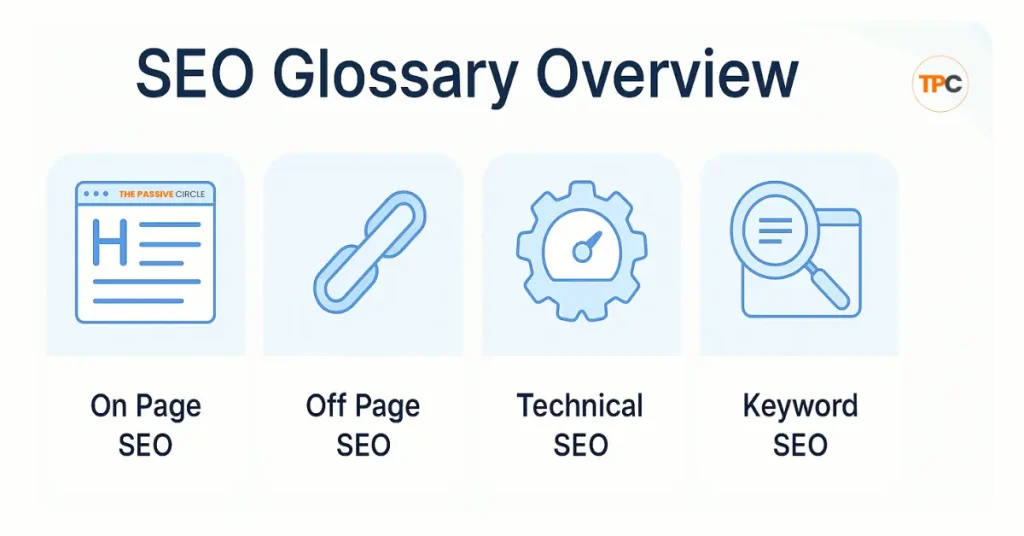
Table of Contents
On-Page SEO
On-page SEO is the work you do inside your website to help search engines understand your content. It also helps your readers enjoy the page more. When you fix your structure, improve your content, and clean up your links, ranking becomes easier. Beginners often see quick wins here. It’s the most practical part of SEO because you control everything.
To help you launch into each key aspect of SEO, each section of your glossary is explained simply below. Each part connects you to a complete guide for step-by-step learning, guiding your path through these essential topics.
1. Page Basics
This section is your starting point. These elements help Google understand the main idea of your page. A substantial Title Tag and Meta Description can improve click-through rates, while clear Meta Tags and HTML Tags make your page easier to crawl. When set up correctly, these basics often lead to better visibility in search results, especially for beginners.
Terms included:
Title Tag | Meta Description | Meta Tags | HTML Tags
Learn more inside the Page Basics guide.
2. Structure and Headings
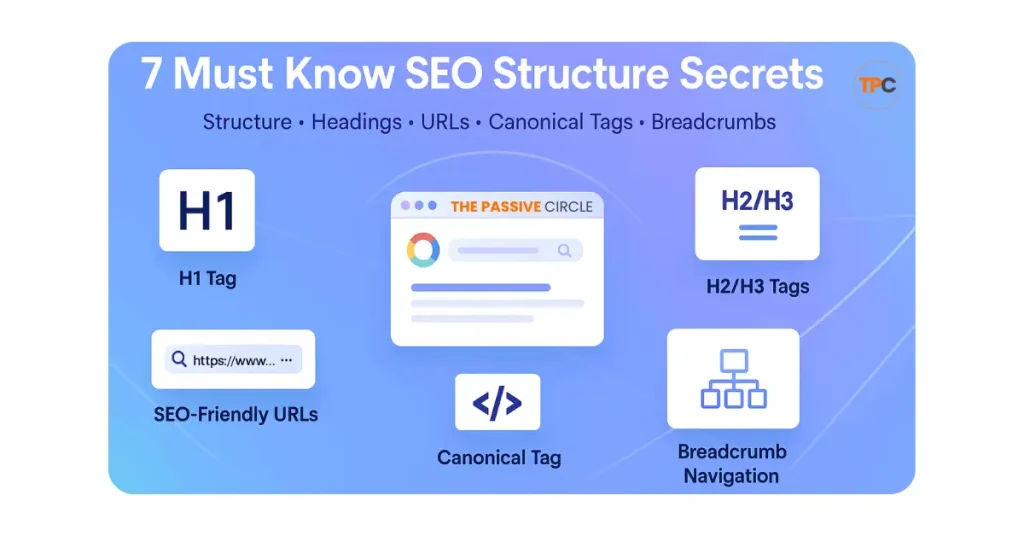
Your structure tells Google how your content is organized. A good heading layout improves clarity and keeps users reading. A clean URL shows what your page is about. SEO-friendly URLs and correctly set canonical tags protect you from duplicate content issues. Breadcrumbs make navigation easier. All of this helps both Google and your audience quickly understand your page.
Terms included:
H1 Tag | H2/H3 Tags | Heading Structure | URL Structure | SEO Friendly URLs | Canonical Tag | Breadcrumb Navigation
See the full breakdown in Structure and Headings.
3. Content and Readability
Your content must answer the reader’s question straightforwardly. Good formatting helps people scan your page faster. The right content length makes your article feel complete. Relevance and freshness show Google that your page is worth ranking. When readability improves, users stay longer, and the bounce rate goes down. This is one of the strongest signals you can send to search engines.
Terms included:
Content Optimization | Content Formatting | Content Length Optimization | content Relevance | Content Freshness | Readability
Explore all terms in Content and Readability.
4. Keywords and Intent
Keywords guide Google to your topic, but intent makes sure your content matches what people want. When you place your keywords naturally, you avoid stuffing and keep the content clean. Semantic and LSI keywords help Google understand the whole meaning of your page. Beginners who learn this early produce better content and attract exemplary visitors.
Terms included:
Keyword Placement | Keyword Density | Keyword Optimization | Search Intent Matching | Semantic Keywords | LSI Keywords
Dive deeper inside Keywords and Intent.
5. Media and Images
Images make your content easier to understand. When optimized, they also help your SEO. Alt Text and Alt Attributes tell search engines what the image is about. Proper image optimization improves page speed, especially on mobile devices. Fast, high-quality photos lead to a better user experience and better rankings.
Terms included:
Image Alt Text | Alt Attribute | Image Optimization
See all details in Media and Images.
6. Links and Navigation
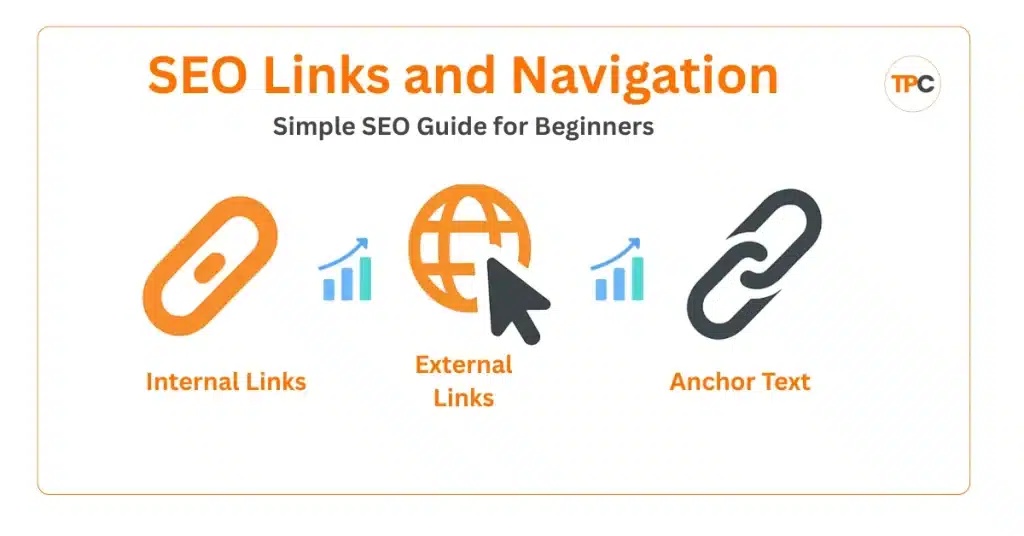
Links help both users and Google move around your site. Internal links keep people on your website longer and strengthen your topical authority. External links point to trusted sources and improve credibility. Anchor text helps Google understand what the linked page is about. A simple linking structure can make your site easier to crawl and index.
Terms included:
Internal Links | External or Outbound Links | Anchor Text
Learn how it works inside Links and Navigation.
7. User Experience, Speed, and Behaviour
A fast and mobile-friendly site keeps users happy. Search engines pay close attention to how people behave on your page. If your site loads slowly, visitors leave. If your design is confusing, engagement drops. When users stay longer, interact, and click more, Google sees your site as helpful and ranks it higher.
Terms included:
User Experience (UX) | Mobile Optimization | Page Speed | Engagement Metrics | Click Through Rate (CTR) | Dwell Time
See the full explanation inside UX, Speed, and Behaviour.
8. Extra SEO Power and Conversions
These are simple features that improve both ranking and engagement. Schema markup helps search engines understand your content better and can unlock rich results. Clear CTAs guide your visitors to take the next step, whether it’s subscribing or checking a product. Minor upgrades here can increase trust and conversions.
Terms included:
Schema Markup | Call to Action (CTA)
Explore both topics in Extra SEO Power and Conversions.
Off-Page SEO
Off-page SEO is everything you do outside your website to build authority and trust. These actions help search engines see your site as valuable. When other sites mention you, link to you, or talk about your brand, your credibility grows. This is a significant ranking factor because Google views strong backlinks and positive signals as proof that your site is reliable.
Below, you’ll find each category explained, along with all terms associated with it.
1. Link and Authority Basics
Authority starts with links. Search engines use backlinks to understand how trustworthy your website is. Strong links increase your Domain Authority and Page Authority. DoFollow links pass value. NoFollow links still matter for visibility. Trust Flow and Citation Flow help measure the quality of your link profile. Once beginners understand these basics, link building becomes less confusing.
Terms included:
Backlinks | Link Building | Domain Authority (DA) | Page Authority (PA) | Link Juice | DoFollow Links | NoFollow Links | Trust Flow | Citation Flow
More inside: Link and Authority Basics
2. Link Building Methods
There are many ways to earn backlinks, and each method works differently. Guest Posting and Broken Link Building are two of the most common beginner-friendly approaches. Niche Edits and Tiered Link Building offer more advanced strategies. Web 2.0 links, directory submissions, and article submissions still play a role when used correctly. Forum posting, blog commenting, and profile creation help build early visibility. Competitor backlink analysis shows you what’s already working in your niche. When done right, these methods strengthen your authority over time.
Terms included:
Guest Posting | Broken Link Building | Niche Edits | Tiered Link Building | Natural Link Building | Web 2.0 Links | Directory Submission | Article Submission | Press Release Submission | Forum Posting | Blog Commenting | Profile Creation | Competitor Backlink Analysis
See all methods inside Link Building Methods.
3. Brand and Awareness Building
Off-page SEO also includes building your brand across the web. Influencer Outreach and Collaborations help you reach new audiences. Brand Mentions and reputation signals show Google that people trust your name even without a link. Community engagement and content promotion help you stay visible. Strong brand awareness often leads to more referral traffic and better rankings.
Terms included:
Influencer Outreach | Influencer Marketing | Influencer Collaboration | Brand Mentions | Brand Building | Reputation Management | Community Engagement | Content Promotion | Referral Traffic
Explore more in Brand and Awareness Building.
4. Social and Local SEO
Social signals show search engines that people interact with your content. Social bookmarking, sharing, and social media marketing help your posts reach more readers. Video marketing and podcast guesting grow your brand on different platforms. Local SEO tools like Google My Business and local citations help local customers find you. Online reviews also influence trust and visibility.
Terms included:
Social Signals | Social Bookmarking | Social Media Marketing (SMM) | Social Sharing | Video Marketing | Podcast Guesting | Google My Business (GMB) | Local Citations | Online Reviews
Learn more about Social and Local SEO.
5. Community and Engagement Platforms
Growing your presence in online communities naturally strengthens your authority. Q&A platforms allow you to answer fundamental questions and share your expertise. Forum posting helps you join conversations in your niche. Community engagement builds trust and often leads to natural backlinks over time.
Terms included:
Q and A Submission | Forum Posting | Community Engagement
Full details inside Community and Engagement Platforms
Read more about Off-Page SEO
Technical SEO
Technical SEO makes sure your website is easy for search engines to crawl, understand, and index. When your technical foundation is clean, Google can process your pages more efficiently. This often leads to better rankings and a smoother user experience. Beginners sometimes skip this part, but it’s one of the strongest long-term SEO wins.
Below you’ll find each technical category explained, along with all glossary terms.
1. Crawling and Indexing
This is where search engines start. Your site must be crawlable so Google can reach your pages. Indexing ensures those pages appear in search results. Robots.txt and XML sitemaps guide crawlers in the right direction. Canonical tags prevent duplicate confusion. Crawl budget, crawl errors, and robot directives help you monitor how efficiently Google visits your site. Understanding these elements gives you complete control over how your site is discovered.
Terms included:
Crawlability | Indexing | Robots.txt | XML Sitemap | Canonical Tag | Crawl Budget | Crawl Errors | Robots Meta Tag | Robots Directive | Canonicalization
More inside: Crawling and Indexing
2. Performance and Speed
Speed is one of the most important ranking signals today. Slow sites lose visitors fast. Core Web Vitals measure how smooth and stable your page feels. Server response time shows how quickly your hosting delivers the page. Lazy loading and image compression help cut down load time. HTTPS protects your visitors and is required for trust. HTTPS redirects and migration keep your site secure and consistent. A fast website keeps users happy and strengthens your SEO.
Terms included:
Site Speed | Core Web Vitals | Server Response Time | Lazy Loading | Image Compression | HTTPS / SSL Certificate | HTTPS Redirects | HTTPS Migration
See everything inside Performance and Speed.
3. Mobile and User Experience
Google now indexes mobile first. That means your mobile version must be clean, fast, and easy to navigate. Breadcrumbs help users and crawlers understand the page structure. Pagination improves the experience on extensive collections or blogs. Site architecture and crawl depth show how your pages connect and how deep crawlers must go. Orphan pages often get ignored by Google, so identifying them is key. Strong mobile UX makes your site more competitive.
Terms included:
Mobile Friendliness | Mobile First Indexing | Breadcrumb Navigation | Pagination | Site Architecture | Orphan Pages | Crawl Depth
Explore more inside Mobile and User Experience.
4. Technical Elements and Structure
These elements help Google accurately read your site. Structured data improves how your pages appear in search results. URL parameters impact crawl efficiency and duplicate content. JavaScript and dynamic rendering can affect what Google sees. Thin content signals weak pages that need improvement. Log file analysis and site audits help you catch hidden technical issues. Rendering issues often prevent crawlers from correctly reading your content. Fixing these gives you a clean technical base.
Terms included:
Structured Data (Schema) | URL Parameters | JavaScript Rendering | Dynamic Rendering | Thin Content | Log File Analysis | Site Audit | Rendering Issues
Learn more inside Technical Elements and Structure.
5. Google Tools and Data Management
Google Search Console is your main dashboard for site health. The index coverage report shows which pages are indexed and which have problems. The hreflang tag helps Google serve the correct language or region. Trust Flow and Citation Flow measure link quality and authority. With the right tools, you can track errors, improve performance, and keep your data clean.
Terms included:
Google Search Console (GSC) | Index Coverage Report | Hreflang Tag | Trust Flow | Citation Flow
Full breakdown inside Google Tools and Data Management
6. Site Maintenance and Fixes
Your site needs regular check-ups. Broken links frustrate users and waste crawl budget. Redirects keep old URLs useful but must be handled properly. Duplicate content confuses search engines and weakens rankings. HTTP status codes reveal server issues. 404 errors indicate missing pages that need fixing. These small tasks keep your site healthy and performing well.
Terms included:
Broken Links | Redirects | Duplicate Content | HTTP Status Codes | Broken Links (404 Errors)
See all issues inside Site Maintenance and Fixes.
Read more about Technical SEO.
Keyword SEO
Keyword SEO is all about finding the right words your audience is searching for and using them smartly and naturally. Understanding keyword types, search intent, and performance metrics makes it easier to create content that ranks and attracts exemplary visitors. This part of SEO helps you plan your topics, match user needs, and improve your chances of showing up on Google.
Below, you’ll find each keyword category explained in simple language, with complete glossary terms.
1. Keyword Types
Different keywords serve different purposes. Focus keywords help you target your main topic. Long-tail keywords attract targeted traffic with less competition. Short tail keywords offer higher volume but are harder to rank for. Primary and secondary keywords help organize your content. Branded and non-branded keywords show user familiarity. Geo- and voice-search keywords help you tap into location-based and modern search behaviour. Understanding these types makes keyword planning a lot easier.
Terms included:
Keyword | Focus Keyword | Long Tail Keyword | Short Tail Keyword | Primary Keyword | Secondary Keyword | Branded Keyword | Non-Branded Keyword | Geo Keywords | Voice Search Keywords
More inside: Keyword Types
2. Keyword Intent and Behaviour
Search intent tells you what users want when they type a query. Informational keywords target people looking for answers. Transactional keywords reach users ready to buy. Navigational and commercial keywords help users find brands or compare products. When you match your content with the right intent, traffic becomes more relevant, and conversions improve.
Terms included:
Keyword Intent | Informational Keyword | Transactional Keyword | Navigational Keyword | Commercial Keyword | Search Intent
Explore more inside Keyword Intent and Behaviour.
3. Keyword Research and Planning
Good SEO starts with substantial research. Seed keywords help you begin exploring your topic. Keyword mapping shows how each keyword fits into your site. Keyword gap analysis reveals terms your competitors rank for, but you don’t. Clustering lets you group related keywords into strong content topics. Zero-search-volume keywords can be hidden gems when they match real user questions. Planning these correctly gives your site a clear content direction.
Terms included:
Seed Keyword | Keyword Mapping | Keyword Gap | Competitor Keywords | Keyword Clustering | Zero Search Volume Keywords
See the complete guide: Keyword Research and Planning.
4. Keyword Performance Metrics
After choosing your keywords, you need to track how well they perform. Keyword difficulty shows how hard it is to rank. Search volume helps you understand the demand. CTR reveals how many people click your result when it appears. These simple metrics guide your content decisions and help you focus on keywords that bring real results.
Terms included:
Keyword Difficulty (KD) | Search Volume | Click Through Rate (CTR)
Learn more in Keyword Performance Metrics
5. Keyword Usage and Optimization
Once you have your keywords, you must use them wisely. Keyword placement helps search engines understand your topic. Density refers to how often your keyword appears. Optimization is about keeping everything natural and helpful. LSI keywords help Google see the whole meaning of your topic. Avoiding keyword cannibalization prevents your pages from competing against each other. Smart keyword usage leads to stronger ranking and cleaner content.
Terms included:
Keyword Placement | Keyword Density | Keyword Optimization | LSI Keywords (Latent Semantic Indexing) | Keyword Cannibalization
See all tips inside Keyword Usage and Optimisation.
Read more about Keyword SEO.
FAQs
What is an SEO glossary?
It is a list of standard SEO terms explained in simple words so beginners can understand how SEO works.
Why should beginners learn SEO terms?
It helps you understand tutorials more quickly and apply the correct SEO steps to your website.
Is SEO complicated to learn?
No. If you learn the basics like keywords, on-page SEO, and technical SEO, it gets easier with practice.
Do I need tools to learn SEO?
Free tools like Google Search Console and Google Analytics are enough for beginners. You can add paid tools later.
How do I use this glossary?
Start with one SEO group at a time and read the short definitions. Then go deeper into the detailed pages when you feel ready.