If you are new to SEO, you might hear the term internal links many times. It may sound like a hard technical idea, but it is not. Internal links are simple. They are also one of the easiest ways to help your site grow.
When I built my first blog How Affiliate Marketing Became My Path to Freedom in 2025, I made the same mistake most beginners make. I wrote post after post, but I never linked them together. Readers came in and left fast. Google could not understand the structure of my site. Many pages stayed hidden. Nothing ranked.
Once I learned how to use internal links, everything felt different. My pages started to support each other. Readers moved through my site more easily. Google found more of my content. My rankings improved.
This guide will help you understand internal links clearly. You will learn what they are, why they matter, and how to use them to build a strong site. This is a beginner-friendly guide, so you can follow it even if you started blogging today.
Table of Contents
What Are Internal Links
Internal links connect one page on your site to another. For example, you can link a blog post to a review. You can link a guide to a tools page. You can link a new post to an older post that still gives value.
Think of your website as a small town. Each page is a house. Internal links are the roads that connect these houses. When your town has clear roads, it becomes easy for visitors to move around. Google can move around with ease, too. When your town has no roads, people get stuck, and they leave.
Here is a simple example. Imagine you have three posts.
- Keyword Research for Beginners
- On Page SEO Checklist
- Simple WordPress Setup Guide
Inside your On Page SEO Checklist, you add a line like this.
You should learn basic keyword research before you try to rank your post. You can read my beginner keyword research guide here.
This one small internal link tells your reader where to go next. It also tells Google that your keyword research post is essential. This is the power of internal linking. It helps both people and search engines.
Internal links also help you build clear topic groups. These groups tell Google what your site is about. This increases your chance of ranking for the right keywords.
Why Internal Links Help SEO
Internal links are not just helpful for readers. They also play a significant role in SEO. Google uses links to travel through your site. Readers use links to explore your content. When your links are clear, both groups win.
Here are the main reasons internal links help SEO.
They help Google find your pages.
Google sends bots to explore your site. These bots move from link to link. If a page has no links pointing to it, Google may never find it. This type of page is called an orphan page. Good internal links solve this problem.
They help Google understand your content.
Internal links help Google see how your topics connect. When many posts link to one main guide, Google can tell that the guide is essential. This allows the guide to rank better.
They keep readers on your site longer.
When you link to helpful posts, you make it easy for a reader to keep reading. More time on site is a strong quality signal for search engines. It tells Google that your content is valuable.
They send power to key pages.
Some pages are more important than others. These may be money pages or pillar guides. Internal links can send more authority to these pages. More authority often means higher rankings.
They support topic clusters.
A topic cluster is a group of posts that focus on one main idea. Internal linking connects every post in the cluster. This makes your site look deeper and stronger in Google’s eyes.
Internal linking is one of the simplest parts of SEO. You do not need a big tool. You do not need a large budget. You only need a small habit every time you publish a new post.
How Many Internal Links Per Page Is Good
One of the biggest questions beginners ask is how many internal links per page are safe for SEO. The simple answer is that there is no strict number. Google does not give a fixed rule. You have freedom as long as the links are helpful.
A good starting point is three to five internal links in each post. Some posts will need more. Some posts will need less. The goal is to guide the reader to the following helpful step.
Try to think like a reader. If they finish this post, what should they learn next? Use your links to offer that next step.
If you run a long guide, you can use more links. Long guides often need links in several sections. If you write a short post, you can use fewer links. The length of the post should guide your linking.
Google is OK with many internal links as long as they are relevant. What Google does not like is spam. Spam happens when you add links that do not help the reader or add too many links in one small section.
So here is a simple rule for beginners.
If the link helps the reader, it is good.
If the link feels forced, it is not.
How Many Internal Links Is Too Many
A page has too many internal links when the links confuse the reader. If someone feels lost or overwhelmed, then you added more links than needed. This is a user problem and also an SEO problem.
Here are common signs that you used too many links.
You place links in every sentence.
You place several links on the exact phrase.
You link to topics that don’t align with the page’s main idea.
You add links to push traffic, not to help the reader.
Google can still crawl a page with many links, but it may not understand what is essential. When everything looks important, nothing looks necessary. Good linking needs clarity.
If you follow the idea of natural links, you will not cross the limit. Keep the reader in mind, and you will always be safe.
How to Create Internal Links in WordPress
If you use WordPress, the process is straightforward. You can add an internal link in a few clicks. Many beginners ask how to add an internal link in WordPress, so here is a simple step-by-step guide.
- Open the post in the WordPress editor.
- Select the text you want to turn into a link.
- Click the link icon in the toolbar.
- Type the title of the post you wish to link to.
- Choose the post from the small list that appears.
- Click apply.
- Update or publish your post.
That is all you need to do. WordPress handles HTML for internal links itself. You do not need coding skills to build strong internal links.
Some users also prefer to copy the URL of the target page and paste it inside the link box. Both ways work fine.
If you want deeper control, you can use plugins that suggest links. I will share tools in Part 3. These tools can help you find linking opportunities that you may miss.
Internal Nofollow Links Explained
A nofollow link tells Google not to follow that link. It also tells Google not to pass authority to that page. It is helpful in some cases, but not for regular internal linking.
Beginners often see the word nofollow and worry. You do not need nofollow internal links for normal posts or guides. Google prefers regular internal links because they help Google understand your site.
Use nofollow only when you link to a page that should not gain authority. For example, a login page. A thank you page. A page that holds no SEO value.
Most internal links should stay as usual, follow links. They help your rankings. They help your cluster. They help readers move smoothly through your content.
Simple Internal Linking Steps for Beginners
Internal linking becomes much easier when you follow a small routine. You can use this simple workflow every time you publish a new post.
Step 1. Finish your draft
Read your post from top to bottom. Think about what the reader should learn next.
Step 2. Add three to five internal links
Choose pages that help the reader. Pick posts that are close to the topic. Select short, clear anchor text so the reader understands where the link leads.
Step 3. Link to one main page in your niche
This can be your pillar post or a strong guide. This step helps Google understand which page is most important.
Step 4. Open older posts and add links to your new post
This step is often missed. It creates a two-way link path. It also wakes up older posts and helps them pass power to your new content.
Step 5. Check your links inside WordPress
Make sure the links open the correct page. Make sure the anchor text feels natural. Remove any link that feels out of place.
This small habit will build a strong internal linking structure over time. You do not need an extensive plan. You only need to be consistent.
Best Placement for Internal Links
Placement matters. Google checks the location of your internal links, and readers follow the same pattern. Here are the best places to add internal links.
Near the top section
Readers want quick help. Google also pays attention to early links. If you have a strong guide that relates to the topic, place it in the first few paragraphs.
Inside the body of your content
This is the most natural place for internal linking. You can guide readers step by step. Add links only when they support the current topic.
At the end of the post
Many readers reach the end and want something more. A link to a related guide or a review can extend their journey. It also increases your page depth.
Inside tables or lists
If you create a list of tools or steps, you can include internal links within it. Just make sure they add value.
Avoid placing too many links in the same spot. Spread them across your post so they feel natural.
Internal Linking Tools for Beginners
You can create internal links without any tool. Still, some tools can make the process easier and faster. These tools help you find linking opportunities that you may overlook.
Link Whisper
This beginner-friendly tool suggests internal links based on your content. It shows missing links and helps you update older posts with ease.
RankMath Link Suggestions
RankMath has a built-in feature that gives quick link ideas inside the editor. This is useful when you write long guides with many sections.
Yoast Link Suggestions
Yoast also offers link suggestions in the sidebar. It scans your content and shows related posts from your site.
These internal linking tools help you stay consistent. They save time and keep your content connected.
Internal Link Visualise Tool
A visual tool shows your entire site as a map. You can see how your pages connect. You can also find weak spots in your linking.
Here are simple tools you can use.
GSC Links Report
Google Search Console shows which pages receive internal links. You can see which posts get the most links and which posts get almost none.
Ahrefs Internal Link Report
Ahrefs gives a clear visual map with clickable nodes. This helps you find orphan pages and pages that need more attention.
Screaming Frog Visual Map
This tool builds a map of your site structure. It is helpful when you want a clear picture of all internal paths.
You do not need every tool. Start with Google Search Console. It is free and enough for most beginners.
Mini Case Studies
Here are small examples of internal linking, a Case Study of my website showing how internal linking can help a site grow.
Internal Linking Case Study 1. A new SEO guide started ranking
I wrote a beginner SEO guide that did not rank for many weeks. Later, I added internal links from five related posts. These posts already had traffic. After linking, the guide started to appear on page 1 for a few long-tail keywords. The only change was internal linking.
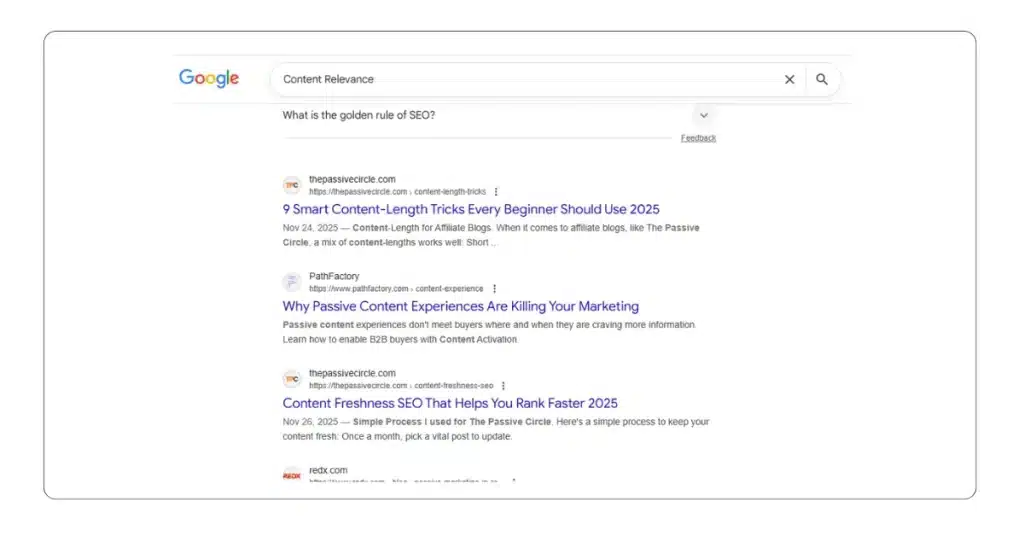
Internal Linking Case Study 2. A money page gained more clicks
I had a review page that stayed buried. I linked to it from a pillar post and two tutorials. I also added links from older how-to guides. Within a month, the review page gained more impressions and clicks. The traffic came from the internal authority flow.
Internal Linking Case Study 3. Orphan posts started to get attention
I had a few posts with no links pointing to them. Google barely crawled them. Once I added internal links from my central cluster, Google picked them up and indexed them faster.
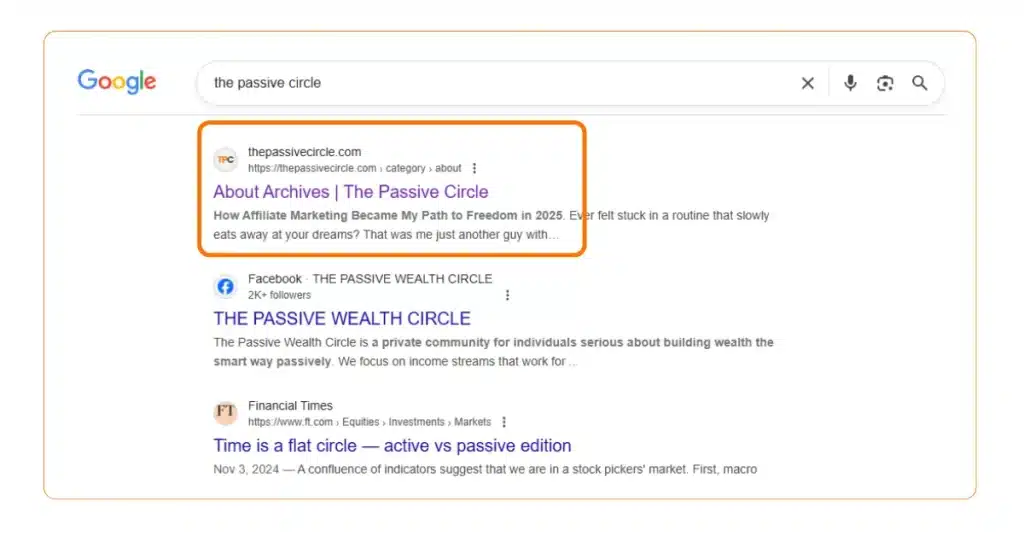
These results were simple. No paid tools. No complex strategy. Only consistent linking.
Final Thoughts
Internal links are one of the easiest skills you can learn in SEO. They help Google understand your site. They help readers move with confidence. They help your important pages rank higher.
Start with a small habit. Add a few helpful links in each post. Link new posts to older posts. Link older posts to new ones. Keep your links natural and clear.
If you repeat this every week, your site will grow stronger. Your pages will support each other. Your SEO results will improve without stress.
If you’re interested in learning more about SEO, check out my Complete SEO Guide for a better understanding.
- Claude AI Text Watermark: What Bloggers and Content Creators Need to Know

- LowFruits Review: How I Find Easy Keywords as a Beginner

- SE Ranking Review 2026: The Best Ahrefs Alternative for Bloggers on a Budget
- WPvivid vs UpdraftPlus: The Only Comparison Beginners Need
- NitroPack review: is it better than WP Rocket

Suggested Blog Posts
- The Ultimate Affiliate Marketing Guide for Beginners 2025 [Proven + Powerful Strategies]
- Systeme.io Ultimate Guide 2025: Login, Pricing, Features, Reviews, and How to Get Started
- ExonHost Review 2025: Best Hosting for Fast & Reliable Websites in Bangladesh
- 10 Simple Steps to Master Easy Table of Contents in Blocksy
- Blocksy Theme Review 2025: The Best WordPress Theme for Affiliate Bloggers
- How to Use Ubersuggest for SEO and Skyrocket Blog Traffic Fast (Honest Review + Free Trial)
- Avoid These 10 Affiliate Marketing Mistakes Beginners Always Make
Helpful Resource for Learning Internal Links
If you want to explore internal linking in a deeper way you can read this simple guide from Yoast. They explain how internal links help Google understand your pages and how to build a clean structure for your site. It is a trusted source and perfect for beginners.