This post may contain affiliate links. If you purchase through these links, I may earn a small commission at no extra cost to you. Read our full Affiliate Disclosure
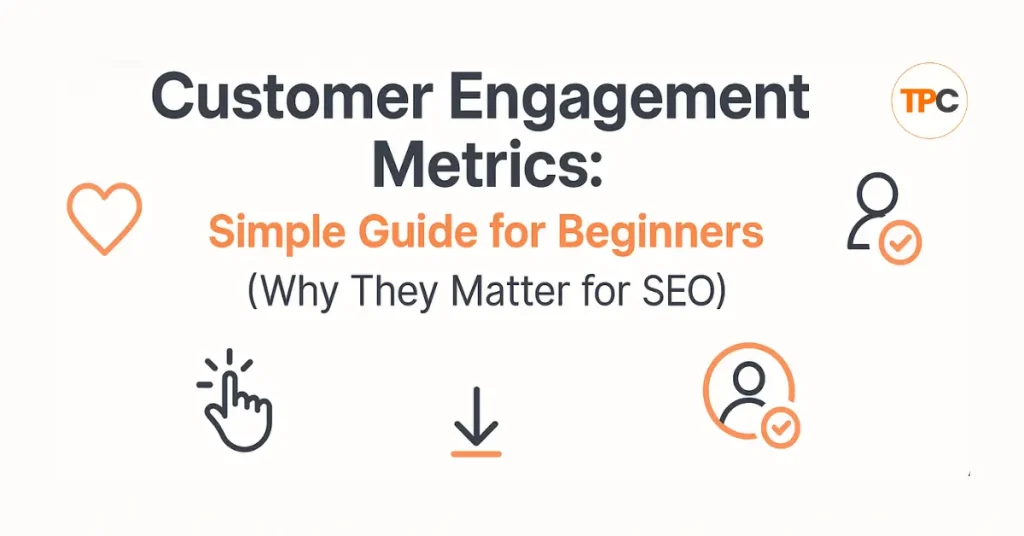
When you’re growing a new blog, it’s easy to focus only on keywords and rankings. But there’s another side of SEO many beginners miss, how people behave on your site. These behaviors are called customer engagement metrics, and they play a significant role in how Google sees your content.
Search engines want to know if your page is helpful. They do this by watching what users do. If people stay longer, scroll, click your links, and read more pages, Google sees your content as helpful. If they leave in a few seconds, it signals the opposite.
Understanding engagement metrics helps you improve both your content and your SEO. Once you know what to look for, you can make simple changes that increase user activity and support your rankings.
This guide breaks everything down in a friendly way so beginners can follow along without feeling overwhelmed.
Table of Contents
What is Customer Engagement Metrics
Engagement metrics show how people interact with your website. They tell you how long visitors stay, what they click, and how far they go through your content.
The main engagement metrics you should focus on are:
- Time on Page
- Bounce Rate
- Pages per Session
- Scroll Depth
- Click Activity (internal links, CTAs, buttons)
Each of these metrics gives you clues about what is working and what needs improvement, when users interact more with your content, your SEO benefits.
Why Engagement Metrics Matter for SEO
Google cannot read minds, but it can read behaviour. Engagement signals help Google understand whether your content satisfies users.
Here’s how engagement supports SEO:
- Longer time on page shows value
- More clicks show interest
- Lower bounce rate suggests relevance
- More pages per session show good internal linking
- Scroll depth shows reading activity
When engagement is strong, Google feels confident pushing your pages higher. When it’s weak, your rankings may drop even if your content is good.
For beginners, improving engagement is one of the simplest ways to support long-term SEO growth.
A Simple Story: How Engagement Improved My Blog
When I first started blogging, I struggled to keep visitors on my site. People clicked on my page but left fast. I thought my content was harmful, but the problem was how I delivered it.
My paragraphs were long.
My layout felt packed.
There were no internal links.
My intro didn’t hook readers.
Once I changed these things, visitors stayed longer. They scrolled more. They clicked on my next posts. Google noticed this behaviour, and my rankings began to rise again.
This taught me something important:
Engagement isn’t about tricks. It’s about helping your reader feel comfortable and supported.
The Main Engagement Metrics Explained (Simple Definitions)
1. Time on Page
This shows how long people stay on a single page. If your content is easy to read and helpful, time on page increases.
2. Bounce Rate
This measures how many people leave your site after viewing one page. A high bounce rate can mean:
- The content didn’t match their expectation
- The page felt confusing
- The design or layout pushed them away
Your goal is to give readers a reason to stay longer.
3. Pages Per Session
This shows how many pages a visitor reads before leaving. Internal links and clear navigation help improve this metric.
4. Scroll Depth
This shows how far readers scroll down your page. If users stop at the top, the intro might not be strong. If they reach the bottom, your content is engaging.
5. Click Activity
Clicks on buttons, CTAs, affiliate links, or internal links show that your content encourages action.
These simple metrics tell you a lot about your user experience and can guide your SEO improvements.
Before and After Examples (What Good Engagement Looks Like)
Before (Low Engagement)
- Visitors leave in 10–20 seconds
- Long paragraphs with no spacing
- No internal links
- Weak intro
- Confusing layout
- No images or examples
- Hard-to-read text
After (High Engagement)
- Visitors stay 2–4 minutes
- Short paragraphs
- Friendly tone
- Helpful examples
- Images or screenshots
- Clear internal links
- Strong intro that speaks to their problem
When users enjoy reading your content, they naturally behave in ways that support your SEO.
How to Improve Engagement Metrics (Beginner Steps)
1. Start with a Strong Intro
Your intro should speak directly to the reader’s problem.
For example:
“You want to start affiliate marketing after your 9–5 job, but the steps feel confusing. This affiliate marketing ultimate guide breaks everything down in a simple way.”
This helps users feel understood and encourages them to continue reading.
2. Break Text into Short Paragraphs
Short paragraphs are easier to read.
Especially for mobile users.
If a visitor sees a wall of text, they leave. Break content into small chunks.
3. Use Clear Headings
Headings help readers scan your page.
Scanning is a normal behavior don’t fight it.
Clear sections also help your SEO by making your content easier for Google to understand.
4. Add Internal Links
Guide users to the next best step.
Examples:
- “Read my Mobile Optimization guide next.”
- “If you want to improve speed, see my Page Speed guide.“
This increases pages per session and keeps users on your site.
Use PrettyLinks to create clean link structures for affiliate or internal links.
5. Use Visuals and Screenshots
Images break up text and help explain concepts.
You can create simple visuals in Canva.
Visuals keep users on the page longer.
6. Improve readability
Your writing should feel friendly and straightforward.
Tools like Grammarly help clean your sentences and make your content easy to follow.
7. Add Clear CTAs
A CTA is a “next step” you want the reader to take.
Examples:
- “Read the next guide.”
- “Download the checklist.”
- “Try the free version of Systeme.io.”
Clear CTAs increase clicks and engagement.
8. Use Light Pop-Ups (Optional)
Pop-ups work well when used correctly.
Show them after scrolling, not immediately.
You can use Fluent Forms or Systeme.io to create simple, clean pop-ups.
9. Keep Your Design Calm and Clean
Busy designs distract users.
Clean designs help them focus.
Blocksy Theme is excellent for creating modern, simple layouts.
More about Blocksy Theme? Go through my detailed review of Blocksy Theme. Blocksy Theme Review: The Best WordPress Theme for Affiliate Bloggers
10. Add Real-Life Examples
Examples make your content relatable.
When readers relate to your story, they stay longer.
Tools to Track Engagement Metrics
You don’t need many tools to understand user behaviour. Start with these:
Google Analytics
Shows time on page, bounce rate, and pages per session.
Ubersuggest
Helps track engagement patterns and top-performing pages. Learn more about Ubersuggest.
Search Console
Shows how Google sees your pages and helps you fix engagement barriers.
Canva
Helps you create visuals that increase engagement.
PrettyLinks
Shows which internal and affiliate links get the most clicks.
These tools help you understand what users enjoy and what needs improvement.
Small Tutorials for Beginners
How to Improve a Weak Intro
- Identify the reader’s problem
- Speak directly to it
- Promise a simple solution
- Give a preview of the content
A strong intro can double user engagement.
How to Improve Internal Link Flow
- Add 2–4 links inside each post
- Link to related guides
- Use clear anchor text
- Add a next-step CTA at the end
This keeps users exploring your site.
How to Fix High Bounce Rate
- Shorten your intro
- Improve readability
- Make your layout simpler
- Add visuals
- Remove unnecessary distractions
Small changes can have a significant impact.
Engagement Mistakes Beginners Should Avoid
- Writing long paragraphs
- Ignoring internal linking
- Using weak introductions
- Adding no visuals
- Using complicated language
- Overloading the page with ads
- Forgetting about mobile users
Avoiding these mistakes strengthens engagement immediately.
SEO Angle: Why Google Values Engagement
Google wants to show content that:
- Satisfies the user
- Keeps them on the page
- Encourages deeper reading
- Answers their questions clearly
Engagement metrics help Google understand this.
If your content keeps people active, your SEO improves naturally.
For beginners, improving engagement is easier than building backlinks and often more effective.
Internal Link Map for Your SEO Series
Add links to these guides within or after this post:
- User Experience (UX)
- Mobile Optimization
- Page Speed
- Click Through Rate (CTR)
- Dwell Time
Internal linking strengthens engagement and improves SEO.
Quick Engagement Checklist Before You Publish
Before pressing “publish,” ask:
- Is my intro strong and clear?
- Are my paragraphs short?
- Are my headings clear?
- Did I add internal links?
- Did I include at least one image or example?
- Does the page feel clean and simple?
- Is the content easy to read on mobile?
- Did I include a CTA?
If you can answer yes to most of them, your engagement metrics will improve naturally.
Next Step (CTA)
Now that you understand engagement, the following guide will help you improve how often users click your pages on Google:
👉 Read: Click-Through Rate (CTR) for Beginners
This guide will show you how to write titles and descriptions that get more clicks and support your SEO.
If you’re interested in learning more about SEO, check out my Complete SEO Guide for a better understanding.
Helpful Resources to Learn More About Engagement Metrics
To dive deeper into engagement metrics, check out these trusted resources. They provide clear explanations and useful tips. They’re great for beginners who want to understand how user behavior and SEO work together.
- Google Analytics Engagement Overview: Learn how Google tracks time on page, scroll depth, and user actions on your site.
- Google Search Console Performance Report: See how users engage with your pages. Check clicks, CTR, and keyword activity.
- How your audience interacts with your brand? Learn from Neil Patel
- How to Do Keyword Research for Free (Find Easy Keywords for Beginners)

- Link Juice in SEO: A Simple & Easy Guide for Beginners
- How Bloggers Make Money With Affiliate Marketing Funnels (Simple Guide)

- Systeme.io Pricing Explained for Beginners (Free vs Paid Plans)
- Best Email Marketing Tools for Beginners With No Website

Suggested Blog Posts
- The Ultimate Affiliate Marketing Guide for Beginners 2025 [Proven + Powerful Strategies]
- Systeme.io Ultimate Guide 2025: Login, Pricing, Features, Reviews, and How to Get Started
- ExonHost Review 2025: Best Hosting for Fast & Reliable Websites in Bangladesh
- 10 Simple Steps to Master Easy Table of Contents in Blocksy
- Blocksy Theme Review 2025: The Best WordPress Theme for Affiliate Bloggers
- How to Use Ubersuggest for SEO and Skyrocket Blog Traffic Fast (Honest Review + Free Trial)
- Avoid These 10 Affiliate Marketing Mistakes Beginners Always Make