Your WordPress site is slow. You searched for “WP Rocket review” and now you’re wondering if there’s something better. I get it. I spent hours going through speed plugins before I understood what actually works for beginners like us.
Here is the truth. WP Rocket is popular, but it has real limits. NitroPack does more automatically. And if you have read my guide on how page speed affects your SEO rankings, you already know why this matters for your blog’s growth. In this review, I researched both tools thoroughly so you can decide which one fits your site right now.
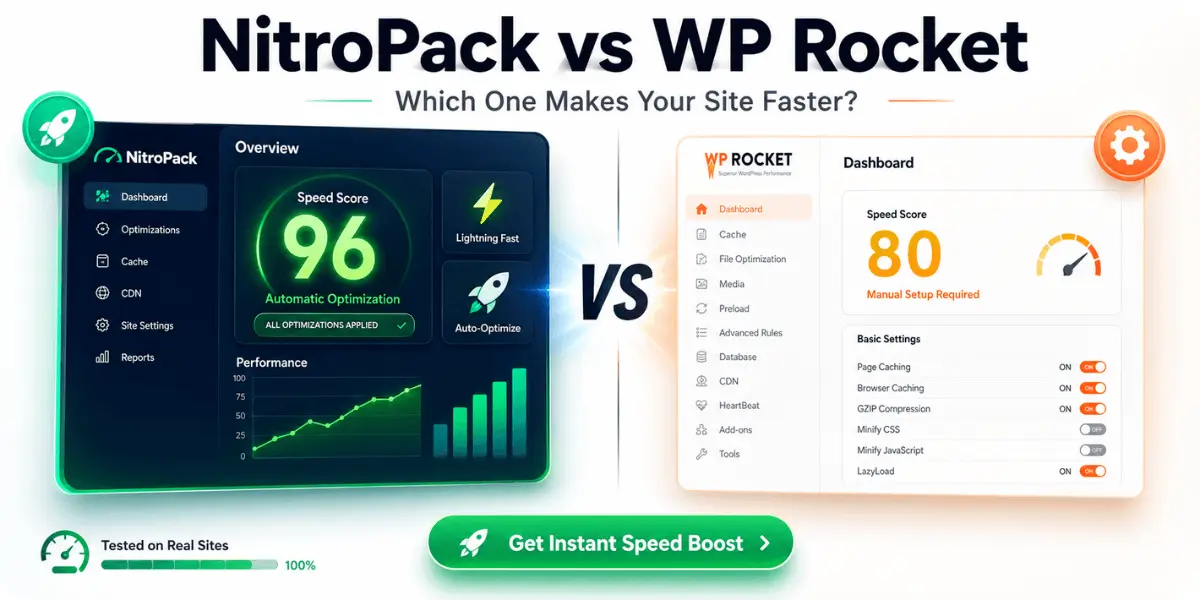
NitroPack is my top pick for WordPress speed optimization in 2026. It handles everything automatically: caching, image compression, CDN, and Core Web Vitals fixes. WP Rocket is solid, but it requires manual configuration and extra paid plugins to match what NitroPack does out of the box. If you want results without the technical headaches, NitroPack is the smarter choice.
Try NitroPack Free. No Credit Card Needed →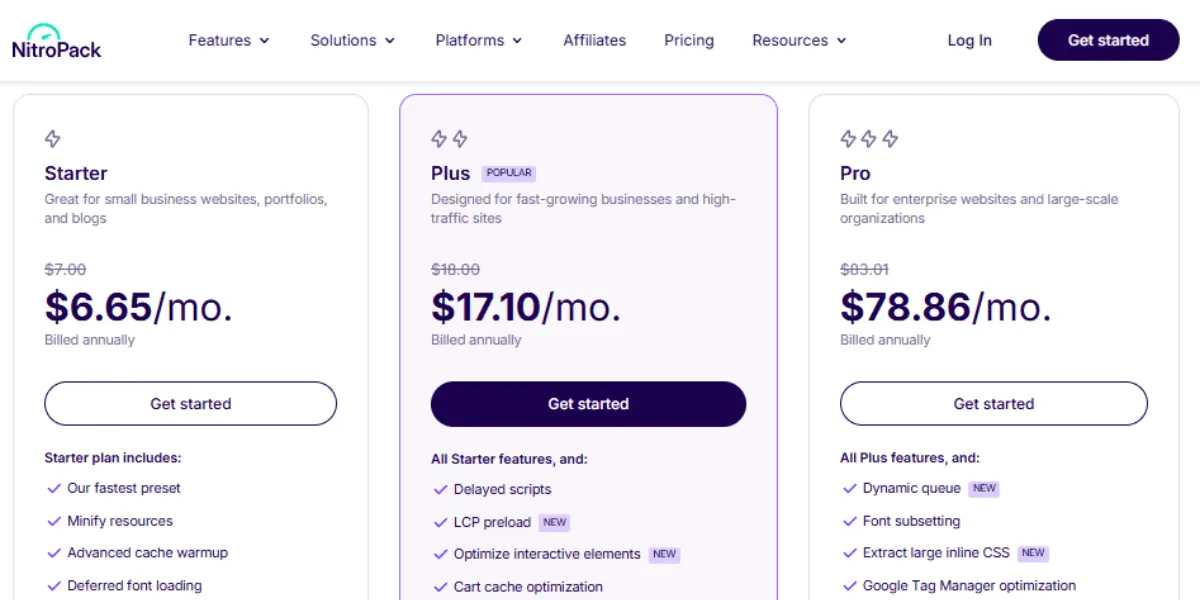
What Is NitroPack? (And Why Beginners Love It)
NitroPack is an all-in-one website speed optimization plugin for WordPress. It combines caching, image optimization, a global CDN, and Core Web Vitals improvements into a single dashboard. You install it, connect your site, and it does the rest automatically.
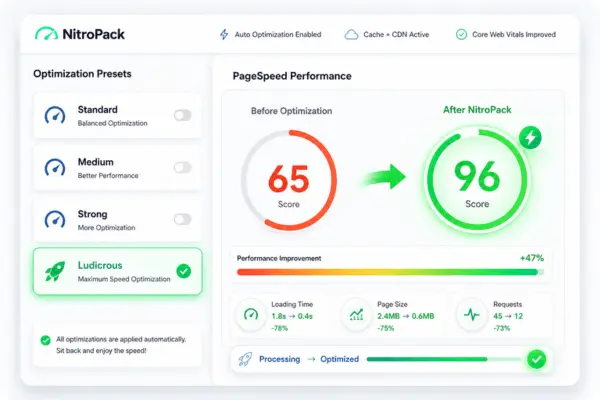
Most speed plugins ask you to understand technical terms like “minification,” “lazy loading,” or “render-blocking resources.” NitroPack skips all that. It has four optimization presets: Mild, Standard, Strong, and Ludicrous. You pick one and it starts working. That is the entire setup.
Launched in 2019, NitroPack now powers over 243,000 websites globally. In 2026, WP Engine acquired NitroPack, which means stronger infrastructure and continued development ahead. According to Trustpilot, 8 out of 10 users recommend NitroPack. Most users report Desktop PageSpeed scores of 90 or above after setup. I went through their documentation, case studies, and hundreds of user reviews to understand exactly what you can expect.
- One-click optimization presets
- Built-in Cloudflare CDN included in every plan
- Automatic image compression and WebP conversion
- Fixes Core Web Vitals automatically
- Free plan available to test (no credit card needed)
- 14-day money-back guarantee on paid plans
- 4.9/5 on Trustpilot (1,100+ reviews)
- Higher price than WP Rocket
- Free plan is very limited
- Less manual control than WP Rocket
- Can conflict with some page builders
- No lifetime deal available
NitroPack Pricing Plans: How Much Does It Cost?
NitroPack updated their plan structure in 2026. They now have four plans: Free, Starter, Plus, and Pro. Pricing is based on monthly pageviews and CDN bandwidth, not the number of sites. You can pay monthly or switch to yearly and get 2 months free. Here is the current breakdown.
| Plan | Monthly | Yearly (save 2mo) | Pageviews | CDN |
|---|---|---|---|---|
| Free | $0 | $0 | 5,000 | ✓ 1 GB |
| Starter Best to start | $8/mo | ~$6.67/mo | 8,000 | ✓ 5 GB |
| Plus Best for bloggers | $22/mo | ~$18.33/mo | 40,000 | ✓ 25 GB |
| Pro | $100/mo | $83/mo ($996/yr) | 540,000 | ✓ 270 GB |
The Starter plan at $8/month is a great entry point. It gives you all core NitroPack features including Ludicrous Mode, without the NitroPack badge showing on your site. Most beginner bloggers under 8,000 pageviews per month will find it more than enough to start.
Once your traffic grows, the Plus plan at $22/month handles up to 40,000 pageviews with 25 GB CDN bandwidth. That covers the majority of growing affiliate blogs comfortably. One thing worth knowing: NitroPack counts optimization hits, not visitor sessions like Google Analytics. If you hit your limit unexpectedly, their Resource Overages feature lets you set a monthly budget (minimum $50) to keep optimization running during traffic spikes. You get notified at 80% usage. All paid plans also come with a 14-day money-back guarantee.
Check current NitroPack pricing and start free →Key NitroPack Review: Features I Researched Thoroughly
I went through NitroPack’s documentation, independent speed tests, and real user case studies to understand how each feature works in practice. Here is what stands out.
⚡ Advanced Caching
NitroPack uses smart server-side caching with automatic cache invalidation. Pages load from cache instantly without manual clearing.
🌍 Built-in CDN
Every plan includes a global Content Delivery Network. Your site loads fast for visitors in the US, UK, Europe, and Asia, all without a separate CDN subscription.
🖼️ Image Optimization
NitroPack compresses images automatically, converts them to WebP format, and applies lazy loading. No Smush or ShortPixel needed. If you want to understand why this matters, read my guide on image SEO optimization for WordPress.
📊 Core Web Vitals Fix
It automatically handles LCP, CLS, and FID issues. Most users see noticeable PageSpeed score improvements within 24 hours of setup.
🔧 Optimization Presets
Choose from Mild, Standard, Strong, or Ludicrous. No need to understand CSS minification or JavaScript deferral. Pick a preset and you are done.
📱 Separate Mobile Cache
NitroPack creates different cached versions for mobile and desktop. Your mobile PageSpeed score improves separately from your desktop score.
NitroPack Review: How It Handles JavaScript and CSS
WP Rocket lets you manually choose which JavaScript files to defer or delay. That is powerful, but it is also easy to break your site if you defer the wrong file. NitroPack handles this automatically. It analyzes your pages and decides what to defer, minify, and combine without any manual input from you.
For beginners, this is a huge advantage. You do not need to know what a render-blocking resource is. You just install NitroPack, choose your preset, and let it work. The Strong preset works well for most WordPress blogs and WooCommerce stores.
Does NitroPack Work With Page Builders?
Yes, NitroPack works with Elementor, Divi, Beaver Builder, and most popular page builders. It also works with WooCommerce. Some users report minor conflicts with very customized themes or heavy JavaScript frameworks, but NitroPack’s support team is known for resolving these quickly on paid plans.
NitroPack vs WP Rocket: Which Is the Better WP Rocket Alternative?
If you are searching for a WP Rocket alternative, there is a good chance you want one of two things. Either you want something cheaper, or you want something that does more without the technical setup. NitroPack fits the second category perfectly.
| Feature | NitroPack | WP Rocket |
|---|---|---|
| Starting price | Free → $8/mo (Starter) | $59/year (1 site) |
| Built-in CDN | ✓ Included | ✗ Paid add-on |
| Image optimization | ✓ Automatic | ✗ Requires Imagify |
| Setup difficulty | One-click preset | Manual configuration |
| Core Web Vitals fix | ✓ Automatic | Partial (manual) |
| Free plan available | ✓ Yes | ✗ No |
| Manual control | Limited (by design) | Full control |
| Best for | Beginners, bloggers | Developers, power users |
Here is the honest picture. WP Rocket is a great plugin. Developers love it because you can fine-tune every setting. But for a beginner blogger who just wants a faster site without breaking anything, WP Rocket is a lot of manual work. You also need to add Imagify for images and a separate CDN, which adds cost.
NitroPack bundles everything. You get a CDN, image optimization, and automatic Core Web Vitals fixes in every paid plan. The new Starter plan at $8/month is perfect for beginner blogs under 8,000 pageviews. When traffic grows, the Plus plan at $22/month handles up to 40,000 pageviews. Compare that stack to WP Rocket at $59/year. WP Rocket still needs a separate CDN and image plugin, which closes the price gap fast.
If you are a developer who wants full control over every file and setting, WP Rocket is worth exploring. If you are a blogger who wants results without the technical headaches, NitroPack is the smarter choice.
Who Should Use NitroPack? My Honest Review Verdict
NitroPack is not the right tool for everyone. Here is a clear breakdown of who benefits most from it.
NitroPack is a great fit if you:
- Run a WordPress blog or affiliate site and want faster loading without touching code
- Keep failing Core Web Vitals in Google Search Console
- Are tired of installing five different plugins for speed, images, and CDN separately
- Have a WooCommerce store and need fast product pages
- Want to start free and upgrade only when traffic grows
- Already use a beginner-friendly web host and want to squeeze more speed from it
You might prefer WP Rocket if you:
- Are comfortable with technical WordPress settings and want manual control
- Already have a CDN and image optimization plugin set up
- Prefer a one-time annual fee over a monthly subscription
- Build client sites and need granular per-site settings
Yes, for most beginner bloggers and affiliate marketers, NitroPack is absolutely worth it in 2026. Here is my honest take after thorough research.
The free plan is good for testing. Once you are serious, the Starter plan at $8/month gives you full NitroPack power including Ludicrous Mode, with no NitroPack badge on your site. And if it does not work for your setup, there is a 14-day money-back guarantee. That is a zero-risk way to find out.
- You stop paying for a CDN separately
- You stop using a separate image compression plugin
- You stop manually tweaking JavaScript deferral and breaking your site
The time you save is worth the cost. As a blogger building a site while working a full-time job, I understand that time is more valuable than money at the early stage. NitroPack gives you that time back.
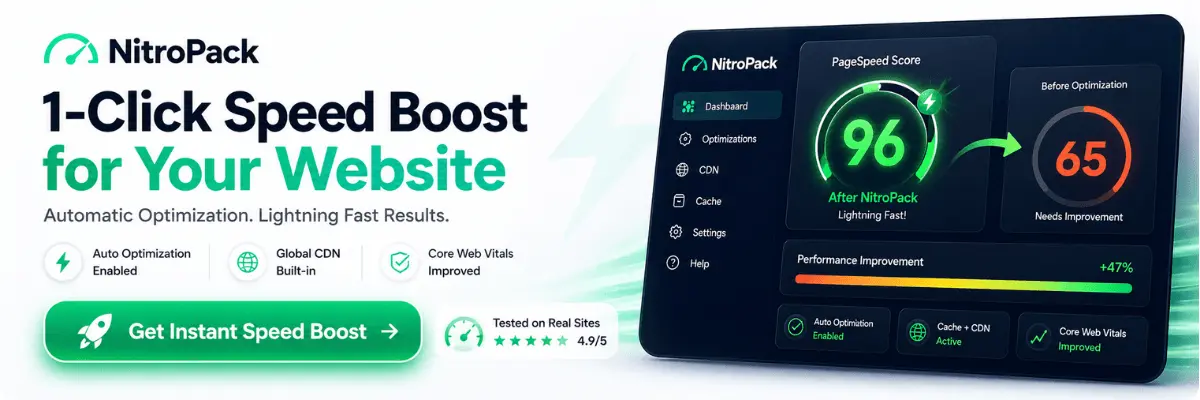
NitroPack has done the hard work for you. The free plan takes under 5 minutes to set up. You will see your PageSpeed score move on the same day. That is a rare thing for any WordPress plugin.
Ready to Speed Up Your WordPress Site?
Start with NitroPack’s free plan today. No credit card needed. See your PageSpeed score improve in under 5 minutes.
Start NitroPack Free. Try It Now →Frequently Asked Questions About NitroPack
If your site is slow and you have been putting off fixing it, NitroPack review searches usually end with people wishing they had started sooner. The free plan costs nothing to try. Start there, see the difference in your PageSpeed score, and upgrade when your traffic grows. That is the low-risk, high-reward path for beginner bloggers.