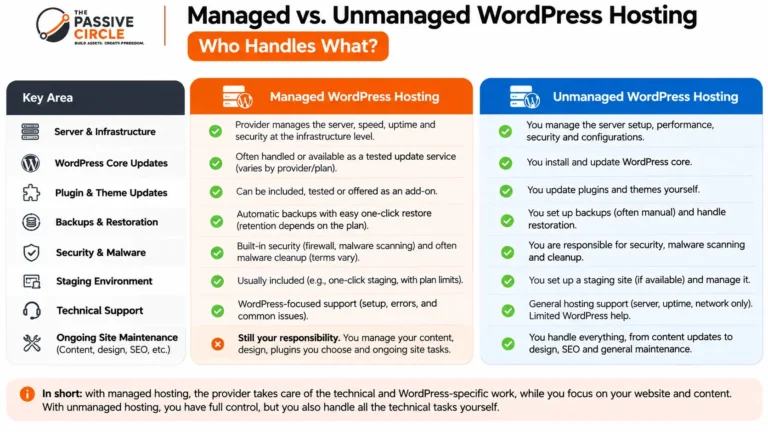
Shared hosting is often the cheapest way to put a website online. The price is low partly because several customers use the same physical server. That raises a fair question: what exactly are you sharing, and does it matter for a small site?
In short, shared hosting means several websites run on one physical server, each in its own account, while the provider limits how much CPU, memory, and storage each account can use. This guide separates three things beginners often mix up: what is shared, what is limited, and what stays yours.
What Are You Actually Sharing on Shared Hosting?
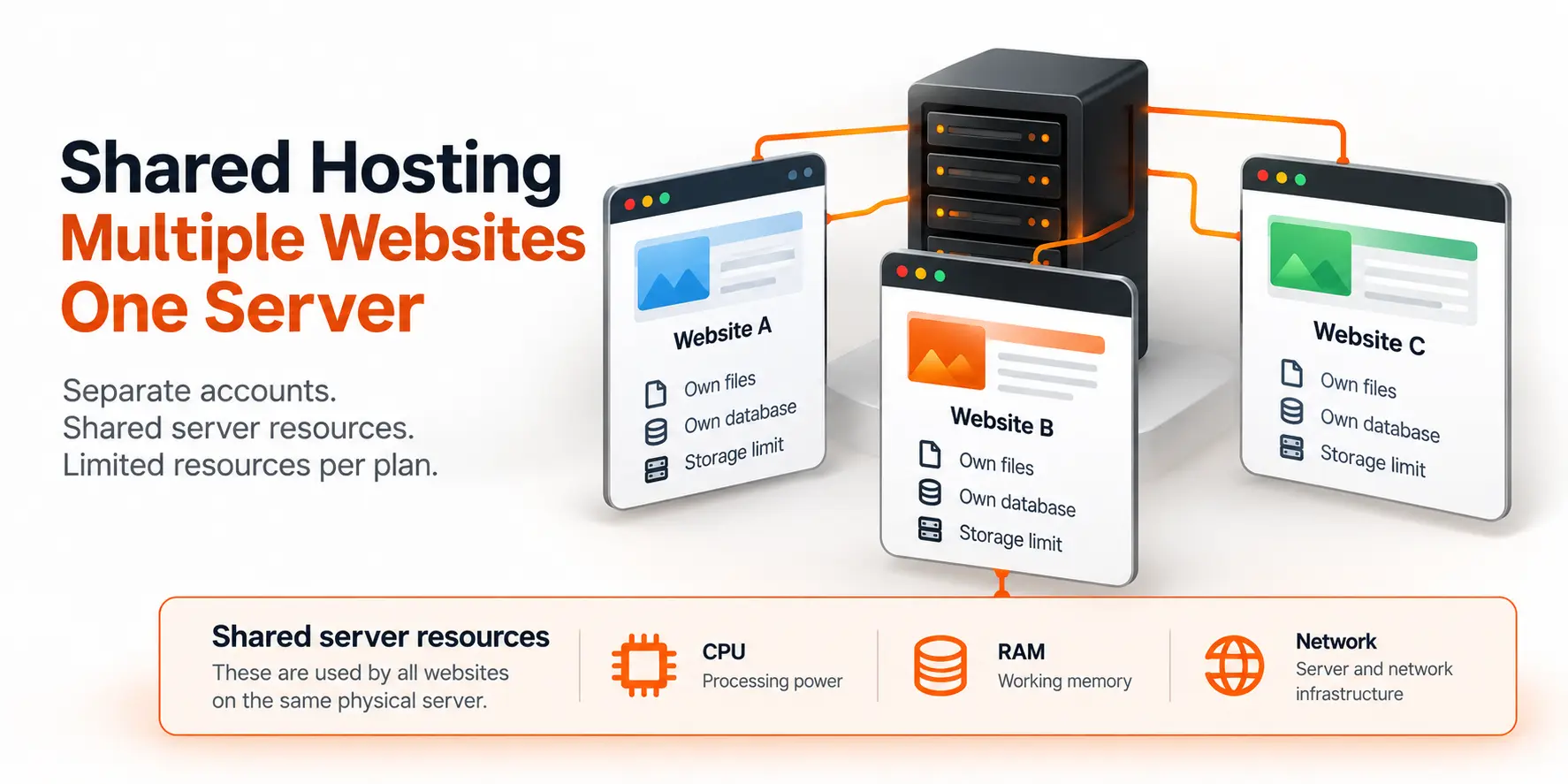
Imagine several small websites running on one physical server. They do not become one website. Each has its own files, database, and settings inside its own hosting account. But they rely on the same machine and its supporting systems.
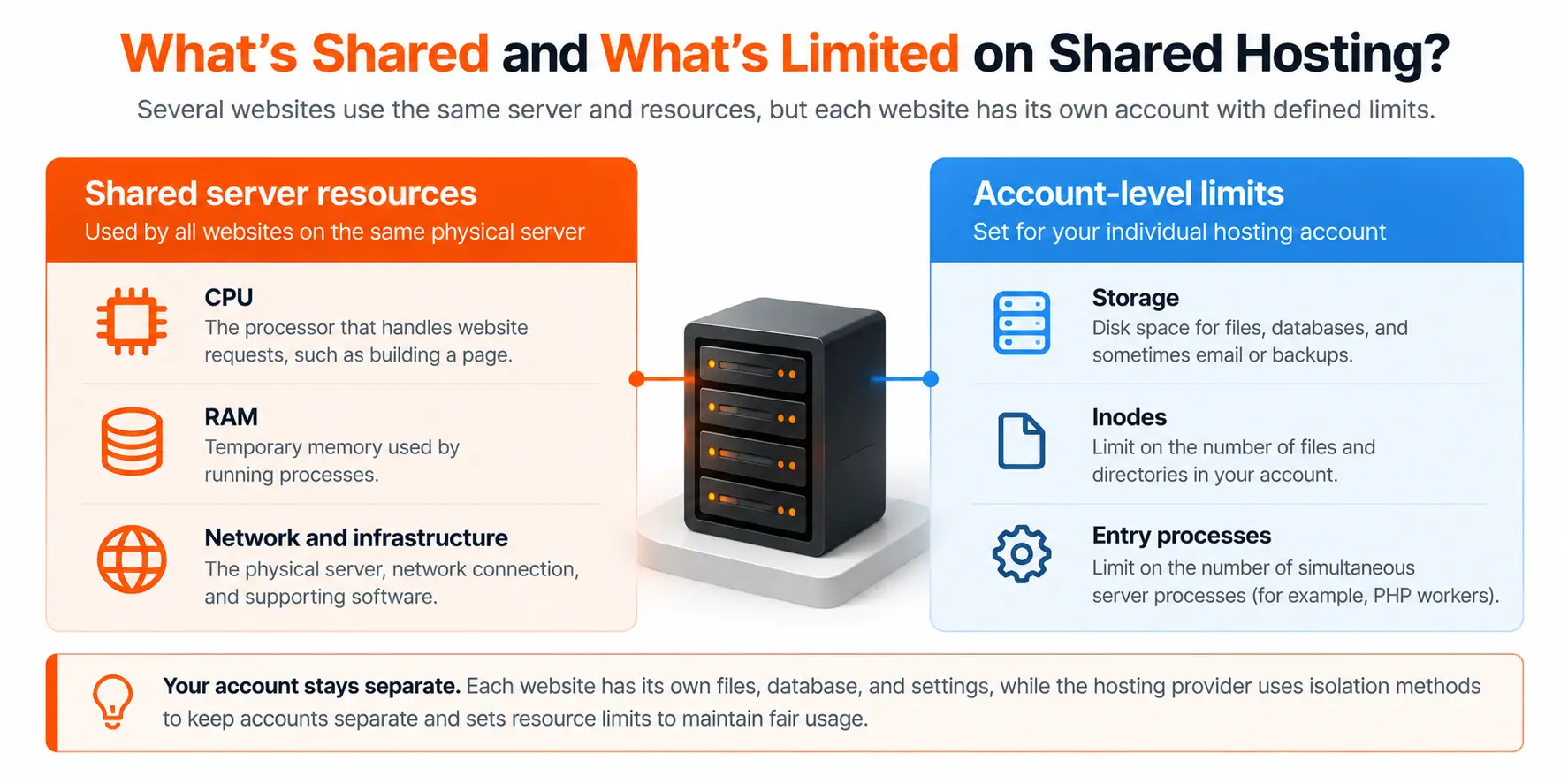
- CPU: the processor. It handles the tasks your website requests, such as building a page. Providers often set limits on how much your account can use.
- RAM: temporary working memory used by running processes. It is also often limited per account.
- Storage: disk space for files, databases, and sometimes email or backups, depending on the plan. This is usually a limit set for your account, not one open pool that every customer competes for like CPU.
- Network and other infrastructure: the physical machine, its network connection, and supporting software. How these are shared depends on the provider’s architecture and policies.
Providers do not all allocate or manage these in the same way. Sharing hardware also does not mean other customers can read your files. Hosts use account isolation to keep data separate, and the methods differ. One example is CloudLinux, a server operating system used by some hosts. CloudLinux’s documentation on Isolates describes filesystem isolation that stops a compromised website from reaching another site’s files. That page covers isolation between websites inside one hosting account, and it applies only where the host provides and enables it. Filesystem isolation is separate from resource limits, and no single feature guarantees every kind of security. This is why isolation and security features belong on your checklist.
What Happens When Another Website Uses Too Many Resources?
Another website’s heavy use can sometimes affect yours, but not always, and a slow site is often caused by something else. It helps to separate three situations:
- Your own site is the cause. Heavy plugins, uncached pages, database activity, or your own traffic can slow a site on any hosting type.
- Your account reaches a plan limit. Depending on the limit and provider, this can slow processing or cause errors. Hostinger’s documentation says that reaching its CPU or I/O limit slows a site, while reaching its process or RAM limit may show visitors a 503 error.
- The whole server is under pressure. If a server is overloaded, several accounts may feel it.
Account limits are meant to reduce the third situation, but they cannot remove it entirely, and servers are not all set up the same way. In CloudLinux’s documentation, for example, resource isolation means a website’s CPU, memory, and I/O use is limited and measured on its own, where the host has enabled it. One customer’s traffic does not always affect everyone else.
Here is one possible scenario, not something that routinely happens. Another customer runs a poorly optimised application with a heavy background task. If the host enforces limits well, that account may be throttled. If limits are loose or the server is crowded, others might notice slowdowns. From the symptoms alone, you usually cannot tell whether a neighbour is the cause.
What Do Shared Hosting Resource Limits Actually Mean?
Providers use different labels, and not all publish the same metrics or enforce them the same way. These are common ones:
| Limit | Plain meaning |
|---|---|
| CPU | How much processing power your account can use. If you reach it, your site may slow down. |
| Physical memory (RAM) | How much real memory your account’s processes can use. If you go over it, processes may stop or visitors may see errors, depending on the provider. |
| Entry processes | A limit some providers use on how many requests or processes can run in your account at once. It is not the total number of visitors. Other providers use different terms, such as PHP workers. |
| Inodes | The number of files and folders in your account, not the space they take up. Many small files, such as cache or backups, can reach this limit before disk space does. |
Hostinger is one example. Its plan limits page lists parameters such as CPU cores, RAM, disk space, inodes, I/O, and PHP workers. Its Resources Usage page shows a red line for your plan’s limit. On web and cloud plans, it combines data from all websites on the plan instead of showing each site separately. Hostinger also says these parameters can change without notice, so check the current plan table before you buy instead of trusting any number in an article.
Advertised storage says little about CPU performance.
A Small Website Scenario: Is Shared Hosting Enough?
Illustrative example, not a performance test. This scenario is hypothetical and is not based on measured results.
Picture a new WordPress blog with a few informational articles, occasional visitors, caching turned on, and no checkout. Shared hosting for a website like this can be a reasonable starting point if three things are true:
- The plan meets WordPress’s technical requirements.
- Its resource limits fit your expected traffic and workload.
- The provider offers backups, security, and support that match your needs.
Heavier sites are different, but they do not automatically need a more expensive plan. What matters is the actual workload: personalised pages that are harder to cache, database activity, background processes, and real resource usage. Some will need more capacity, stronger isolation, or a different hosting arrangement as they grow, and some will not.
| Website type | Typical workload | Shared hosting fit |
|---|---|---|
| Small blog or portfolio | Mostly cacheable pages, light database use | Often a reasonable start |
| WordPress site with several plugins | More PHP and database work per page | Depends on plugin load and plan limits |
| Online store with regular orders | Cart and checkout pages are personalised and harder to cache | Needs closer checking of limits and backups |
| Membership site or app with background tasks | Logged-in users and background jobs create a steadier load | Needs closer checking of limits and isolation |
No single traffic number forces an upgrade. It depends on caching, page complexity, traffic patterns, and how the provider configures the server. Before upgrading, review your resource usage data, find which limit you keep reaching, and optimise the site where you can. Hostinger’s own guidance follows the same order: reduce plugins, enable caching, and upgrade if performance stays poor.

What Should You Check Before Buying Shared Hosting?
Compare the actual plan terms in each provider’s documentation, not just the sales page. Our guide on how to choose web hosting covers the wider decision.
- Resource limits and fair-use rules: are CPU, RAM, and process limits published, and what happens when you reach them?
- Storage and inode limits: where the provider lists them.
- Backups: how often, how long they are kept, and any conditions for restoring.
- SSL and security features: is SSL included, and what protection exists?
- Support: when it is available and how the team handles troubleshooting.
- Renewal pricing and plan restrictions: the introductory price may not be the price you pay later. Our guide to how much web hosting costs explains typical pricing.
- Upgrade options: can you move up without rebuilding your site?
The lowest advertised price does not tell the whole story. A big storage number or a cheap first term is not a reason to pick a provider on its own.
Common Questions About Shared Hosting
Is shared hosting good for WordPress?
It can be for a small WordPress site. Check that the plan meets WordPress’s technical requirements, that its limits fit your plugins and traffic, and that caching is available. When you are ready, see our guide to setting up a WordPress website.
Can another website slow down my website?
Sometimes, but not always. Account limits reduce the chance, and a slow site is often caused by its own plugins, caching, or traffic. From the symptoms alone, you usually cannot tell, so check your own usage data first.
How much traffic can shared hosting handle?
There is no single number. It depends on caching, page complexity, database use, and the plan’s limits. Hostinger’s guidance, for example, is to keep CPU use below 80% during your busiest times, so watch usage, not just visitor counts.
How do I know if I am close to my limits?
Look for a usage page in your hosting dashboard. Hostinger’s Resources Usage page shows live data and the last 6 hours, 24 hours, or 7 days, and it updates every 10 to 15 minutes. Other hosts use different tools.
When should I upgrade from shared hosting?
Consider it when you keep reaching a limit after you have optimised the site. Hostinger says reaching its process or RAM limit 10 to 20 times in a month is a strong sign a site needs more resources. Other providers may differ, so rely on your own usage data.
So, Is Shared Hosting a Bad Choice?
No. Shared hosting is not automatically good or bad. It can be a sensible, affordable start for a small website, as long as the plan’s limits and support match what the site needs.
The better question is whether a specific plan gives your website the resources, safeguards, and room to grow it requires. If you are still comparing providers, our guide to the best web hosting services for beginners is a good next step.
If you want to test the checklist against a real plan, you can check current Hostinger shared hosting plans and compare their published limits. If you are based in Bangladesh, see ExonHost’s local hosting plans as another option to compare. These are affiliate links, so I may earn a commission at no extra cost to you.